Customer Rep Portal

2024–2025

I designed a standalone internal product for customer service customer reps supporting Medicare Prescription Payment Plan members, reducing average call time by 8% and replacing an impersonation-based workflow across Humana, Express Scripts, and Cigna that dropped time spent adding a payment method by ~42%.

Role

Founding Designer

Company

Paytient

Client

Humana
Express Scripts
Cigna

Shipped

Oct 2024

My role

I was the Founding Product Designer on this project to ship this work. I started alongside a Product Manager and Staff Engineer to build this product and the design system from the ground up in less than 10 months.

Context

The Medicare Prescription Payment Plan was a net-new federal program that allowed seniors on Part D to spread their out-of-pocket prescription costs over the calendar year instead of paying in full at the pharmacy.

Paytient stepped in to create a white-labeled product offering to support the end-to-end needs from this CRM portal for customer reps to use when supporting members, to a member portal and a calculator tool.

Problem

Customer reps were the humans on the other end of every call when a member needed support. The original model had them impersonating the member portal. When a call came in, the customer rep authenticated into that member's account and navigated the member-facing interface to guide the conversation. It was fast to build. It failed in several ways at once.

  • The portal was designed for a senior managing her own account once a month, not an operator handling hundreds of accounts a day.
  • Customer reps could only see what members could see, which meant no confirmation numbers, no opt-in channel, no reason codes, no eligibility dates.
  • Authentication was its own tax: members often couldn't remember their login, and two minutes of credential recovery was a meaningful slice of a customer's time budget.

The support model needed to be rebuilt as its own product.

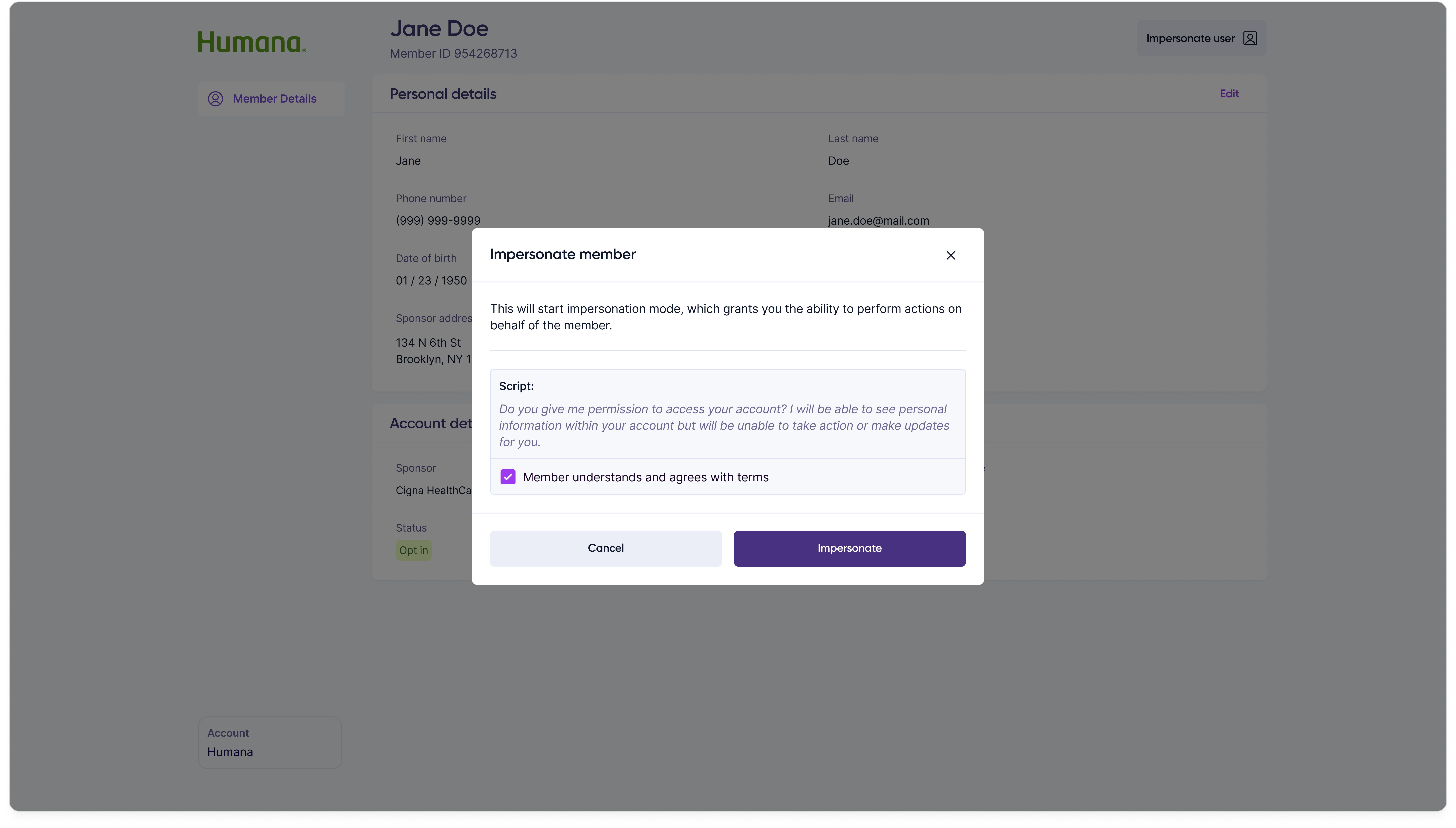
Trigger impersonation
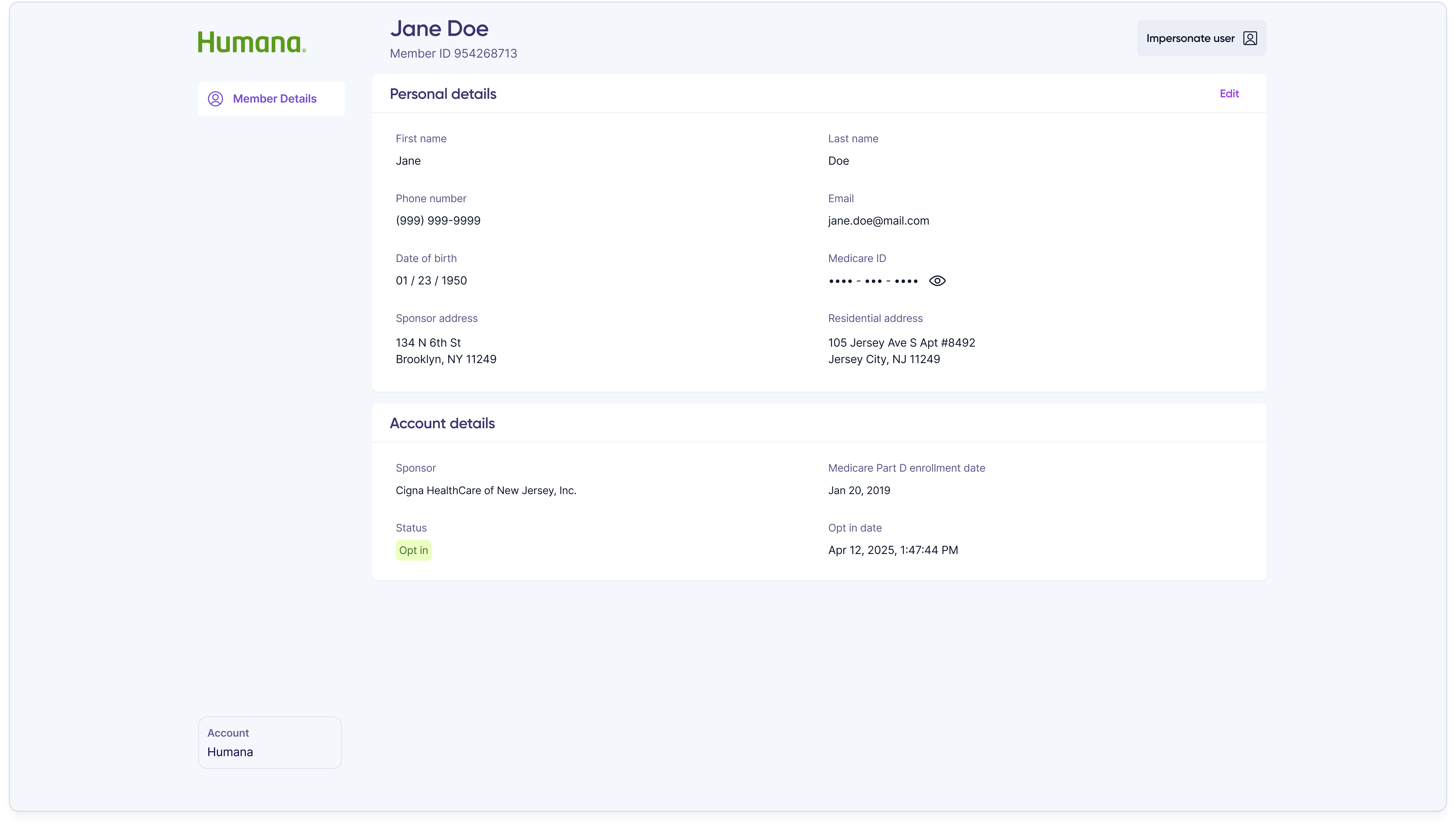
Internal admin tool screen with a member record selected and an Impersonate action available.

Confirm intent

Confirmation modal asking the customer rep to acknowledge they are about to impersonate a member, with the member's name and a confirm action.

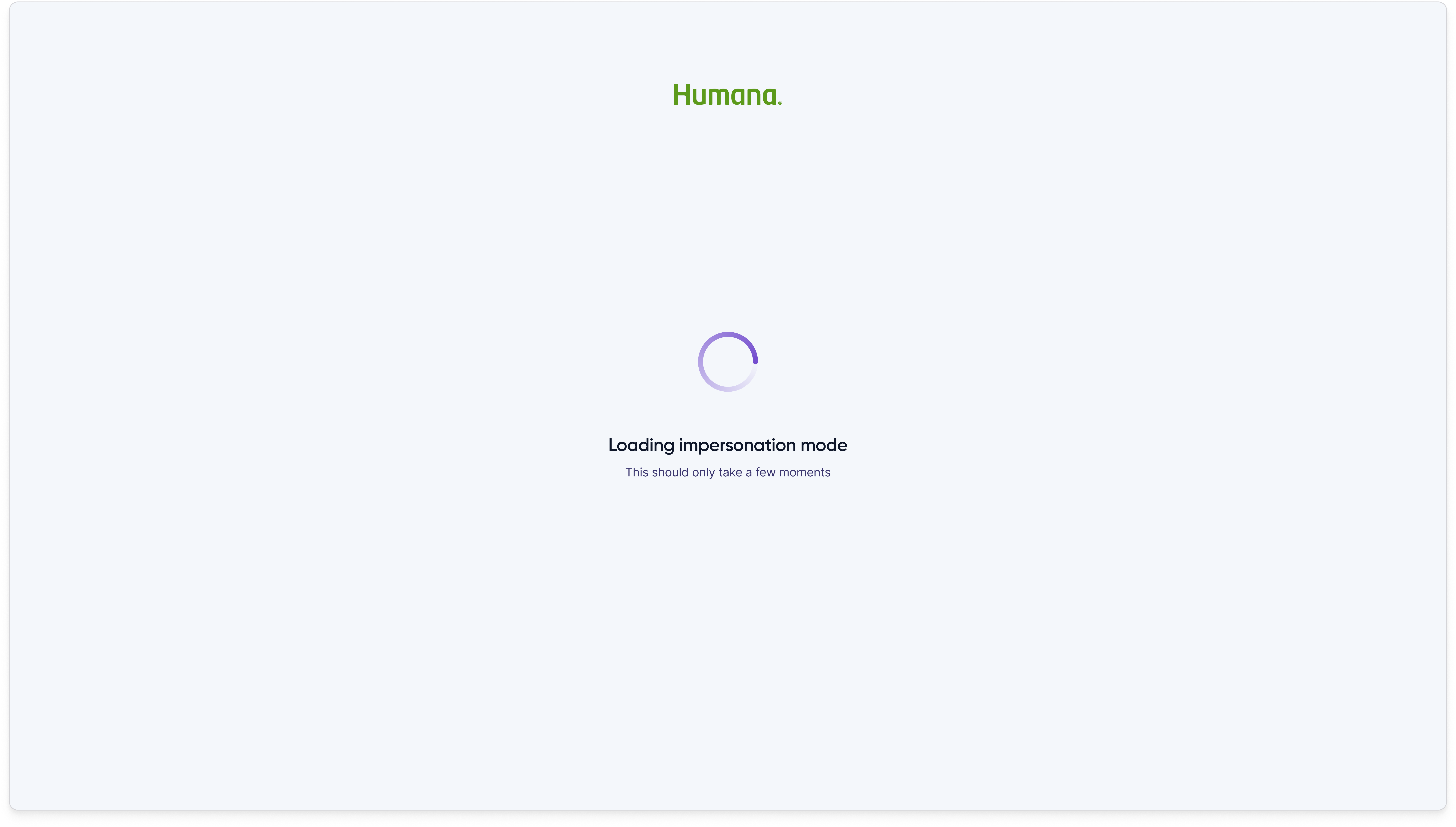
Loading

Loading state shown while the customer rep's session transitions into the member's authenticated portal.

Customer rep impersonating member portal
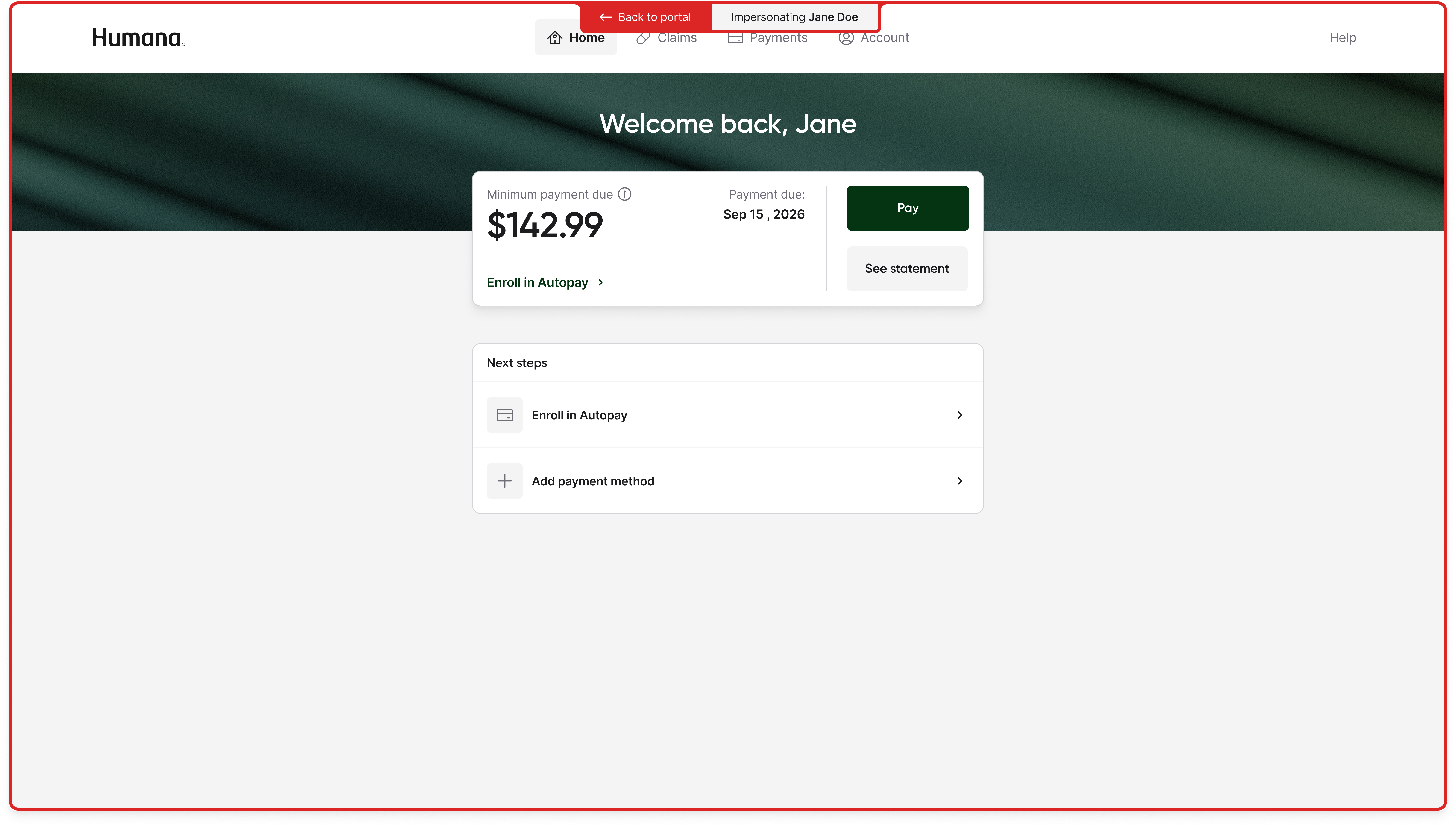
Humana member portal home page rendered inside the impersonation session, with a red Impersonating Jane Doe banner across the top and a Back to portal control.
Impersonation workflow
Before — impersonation
Customer reps authenticated into the member's portal using the member's credentials, and credential recovery alone could eat minutes of call time.
Information density was tuned for a senior managing one account a month, not an operator managing a hundred a day.
Customer reps could see only what members could see — no confirmation numbers, no reason codes, no opt-in channels.
No direct write access to refunds, autopay toggles, or payment method edits that the customer rep's workflow required.
After — customer rep portal
Customer reps look up members by identifier, not credential, and enter a full-context view with session tracking for compliance.
Information architecture is built around data domains an operator needs to pull from quickly.
Full operator context — confirmation numbers, reason codes, participation history, decline codes, and eligibility dates.
Every member-side action available natively — enrollment, payment methods, autopay, payments, refunds.

Process

I spent time with customer reps to understand the shape of a support call, the moments where impersonation failed, and the actions customer reps needed to take that the member's portal would not let them.

I structured the portal around the domains of information customer reps actually worked in, rather than around member-facing tasks. The member portal is organized around things a member does — home, claims, payments, account. The customer rep portal is organized around data domains an operator needs to pull from quickly.

Final designs

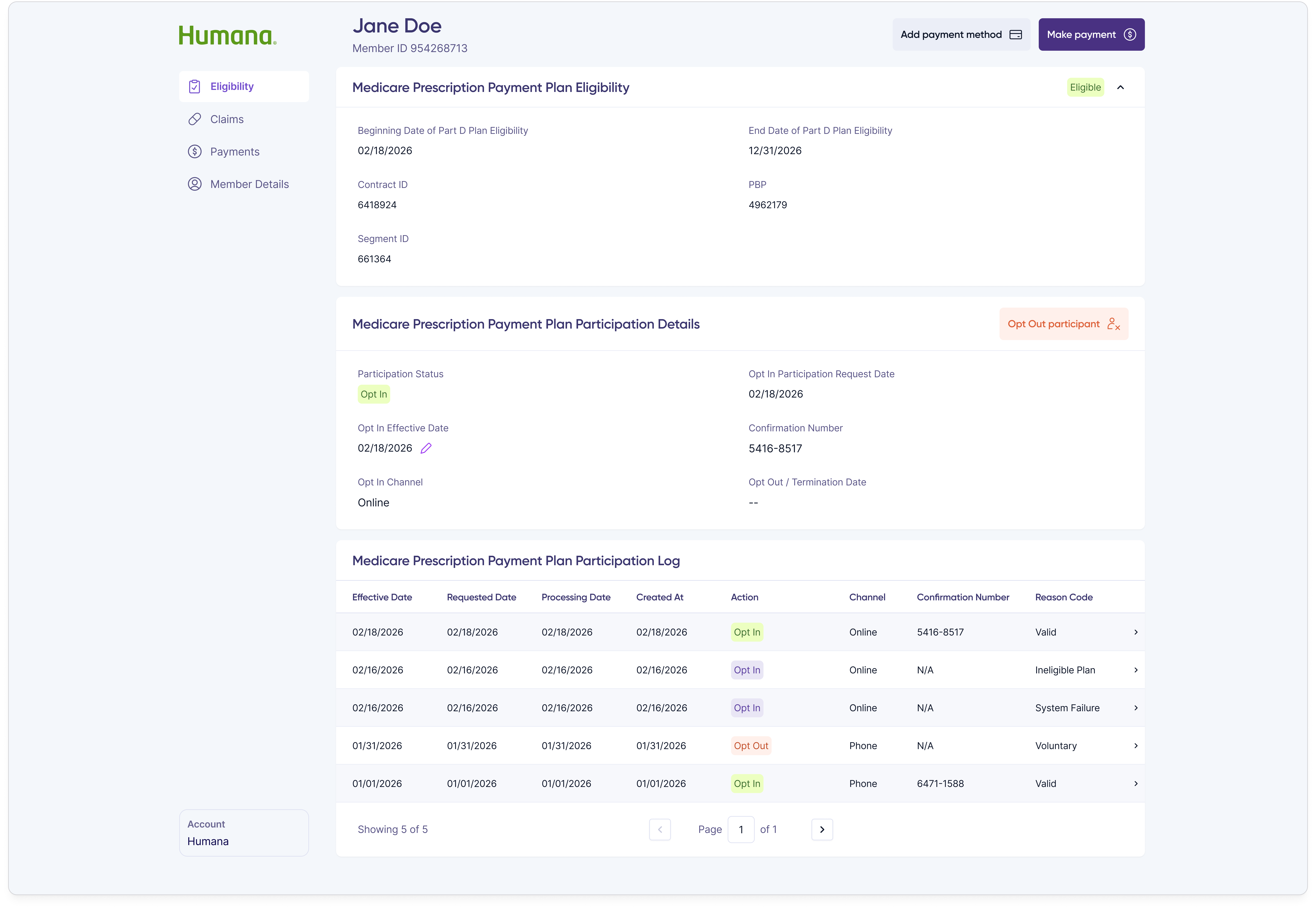
The shipped customer rep portal is a purpose-built internal product covering every action a customer rep takes during a support call, with the information density and direct-action capability that member-facing products are designed to avoid.
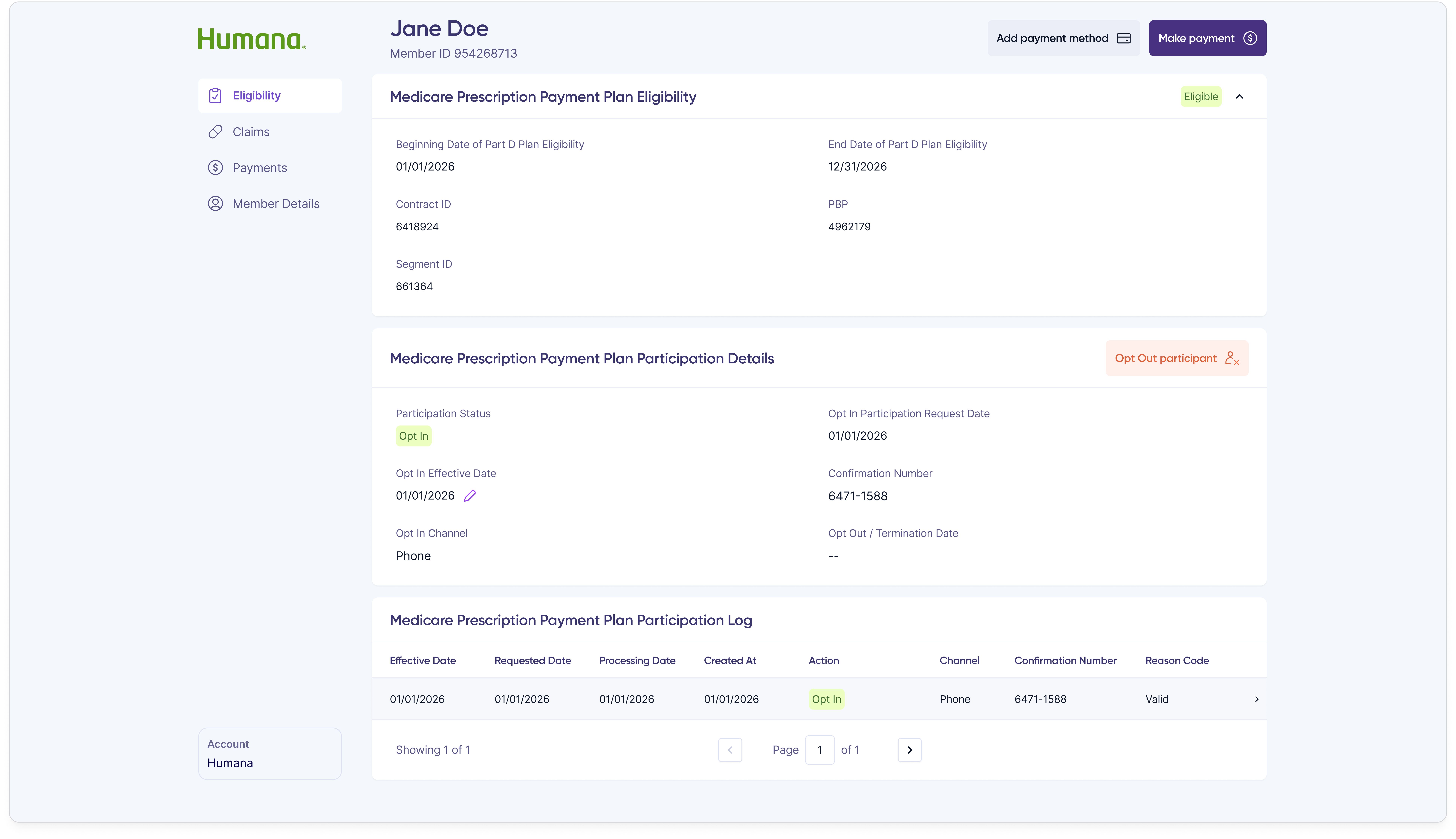
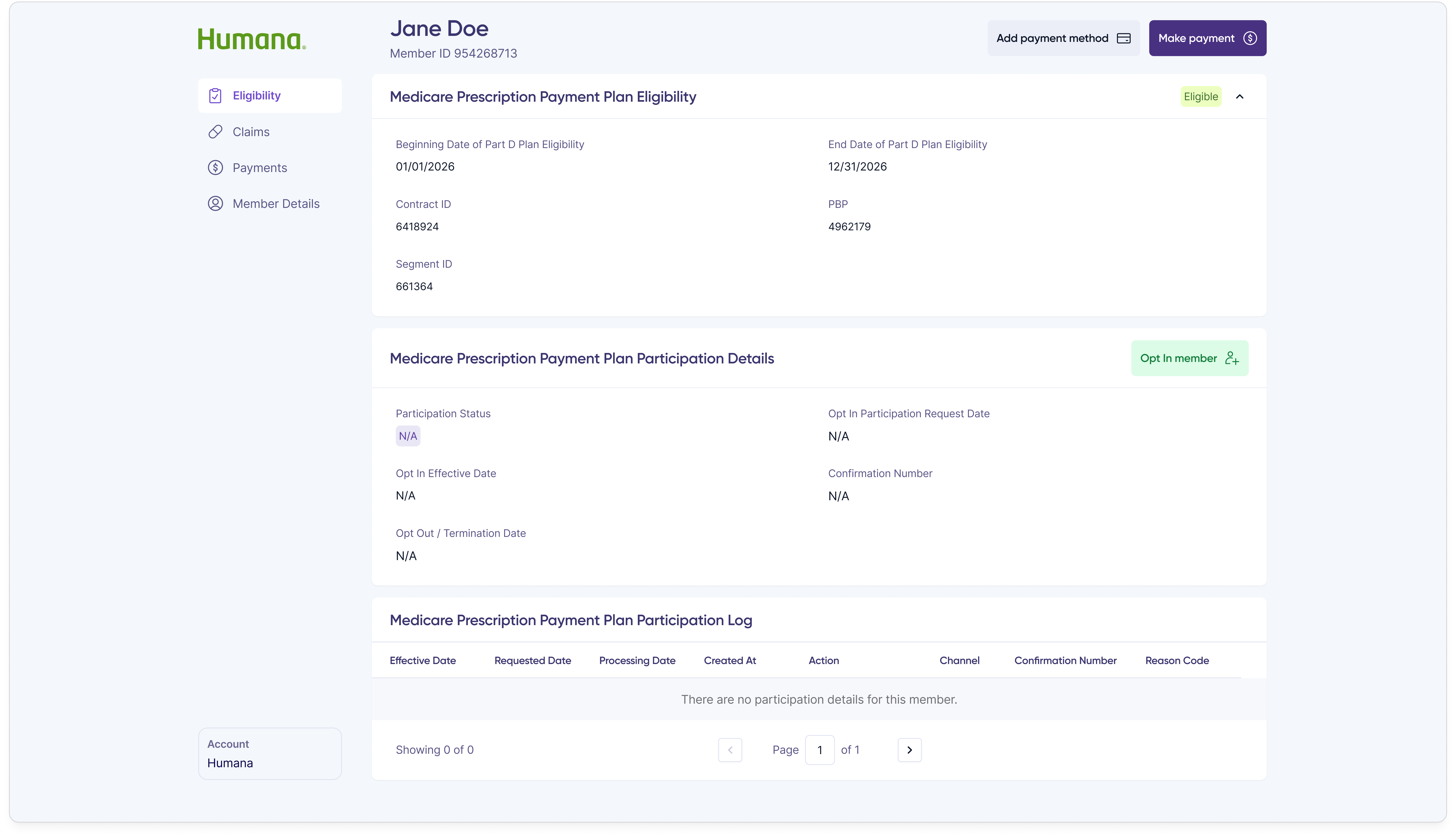
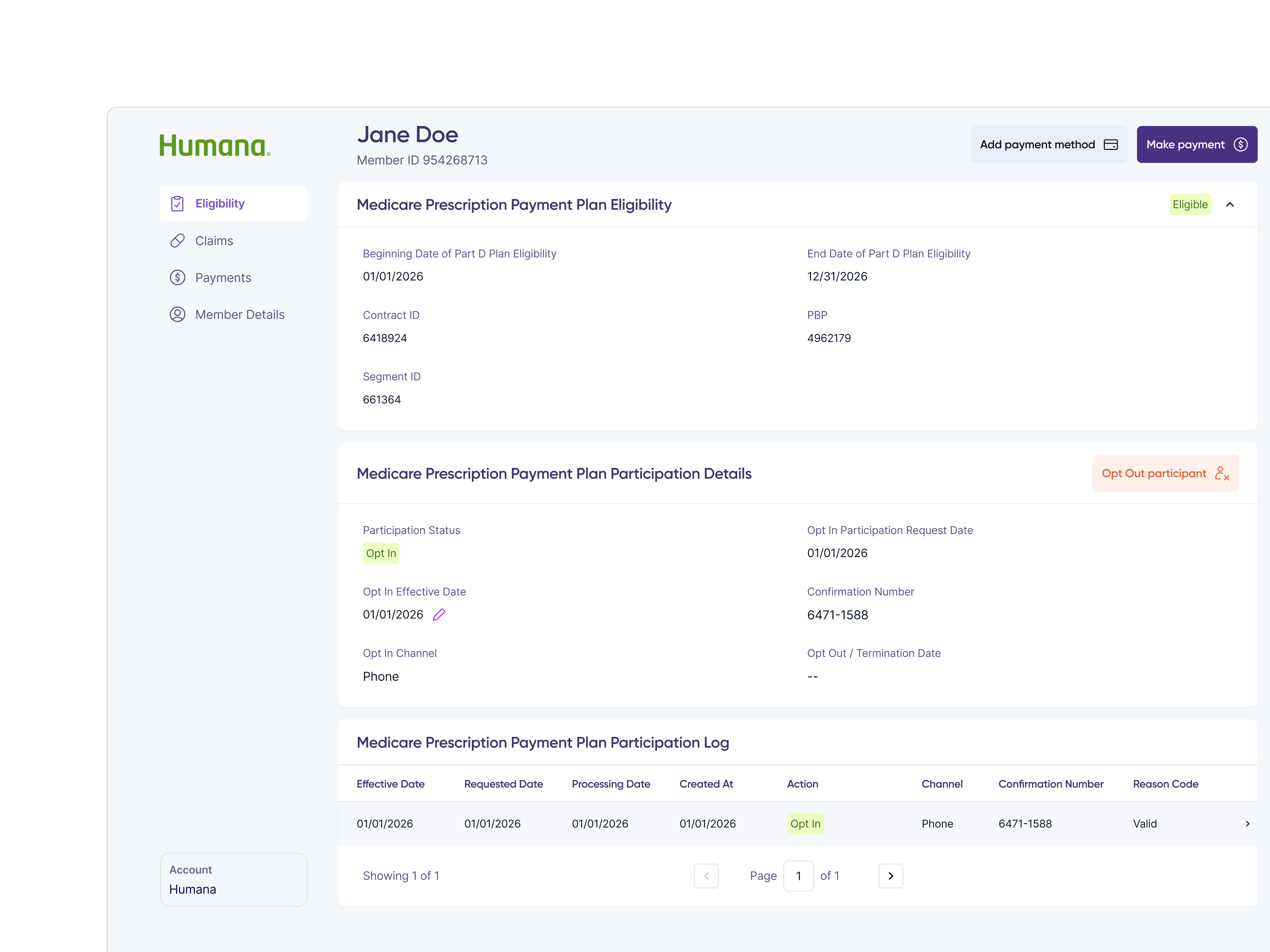
Customer rep portal Eligibility and Participation tab for Jane Doe showing an Eligible status, Part D eligibility dates, contract and PBP IDs, current Opt In participation status, and a participation log table of opt-in and opt-out actions.
Eligibility and Participation — currently opted-in member
Eligibility and Participation tab for a member who has never opted in, showing an Eligible status with empty participation details and an empty participation log.
Eligibility and Participation — member has never opted in
Eligibility and Participation tab showing a participation log with multiple historical opt-in and opt-out events across different channels and reason codes.
Eligibility and Participation — multiple opt-in / opt-out history
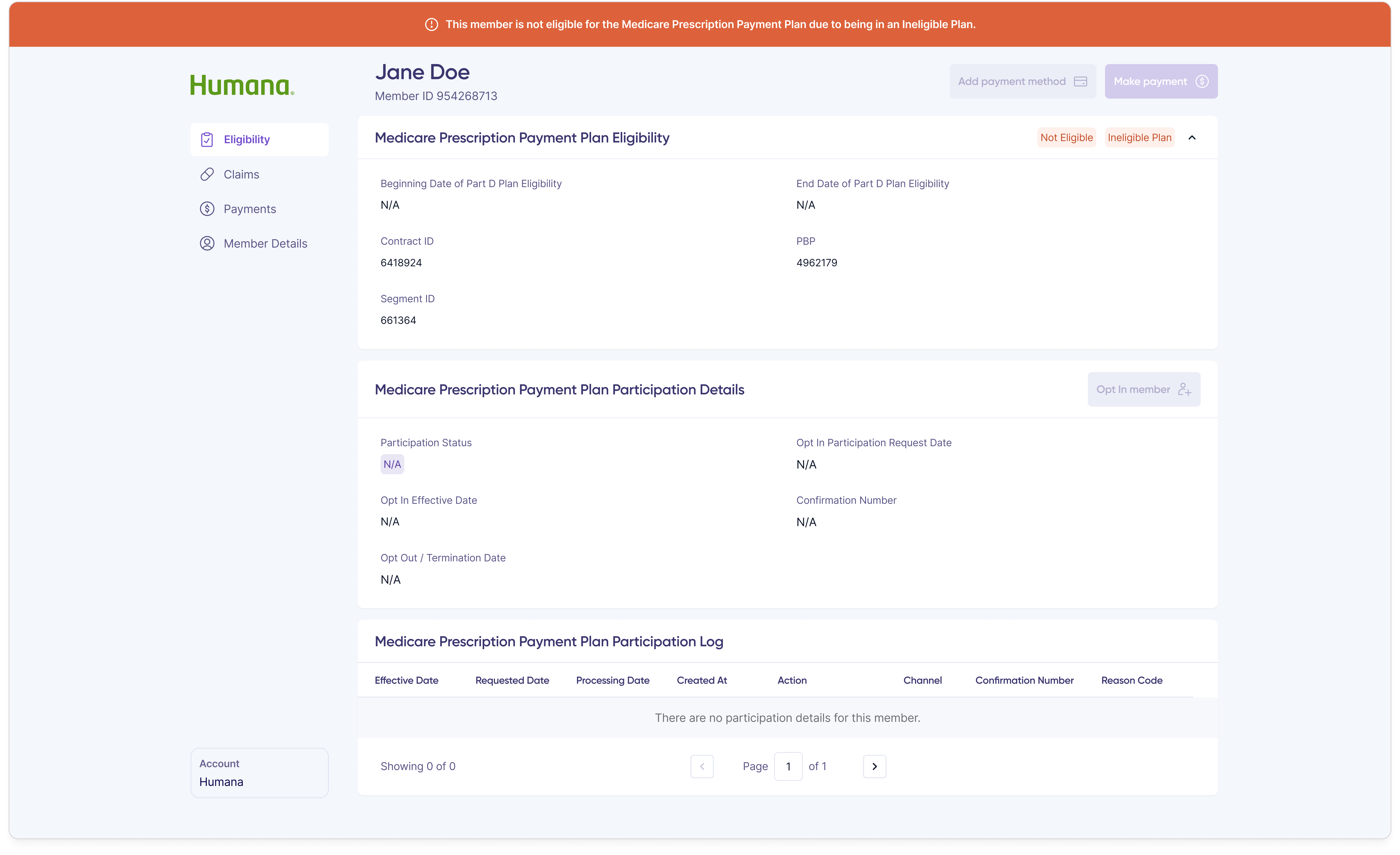
Eligibility and Participation tab for an ineligible member, with a Not Eligible status badge and disabled participation actions.
Eligibility and Participation — ineligible member
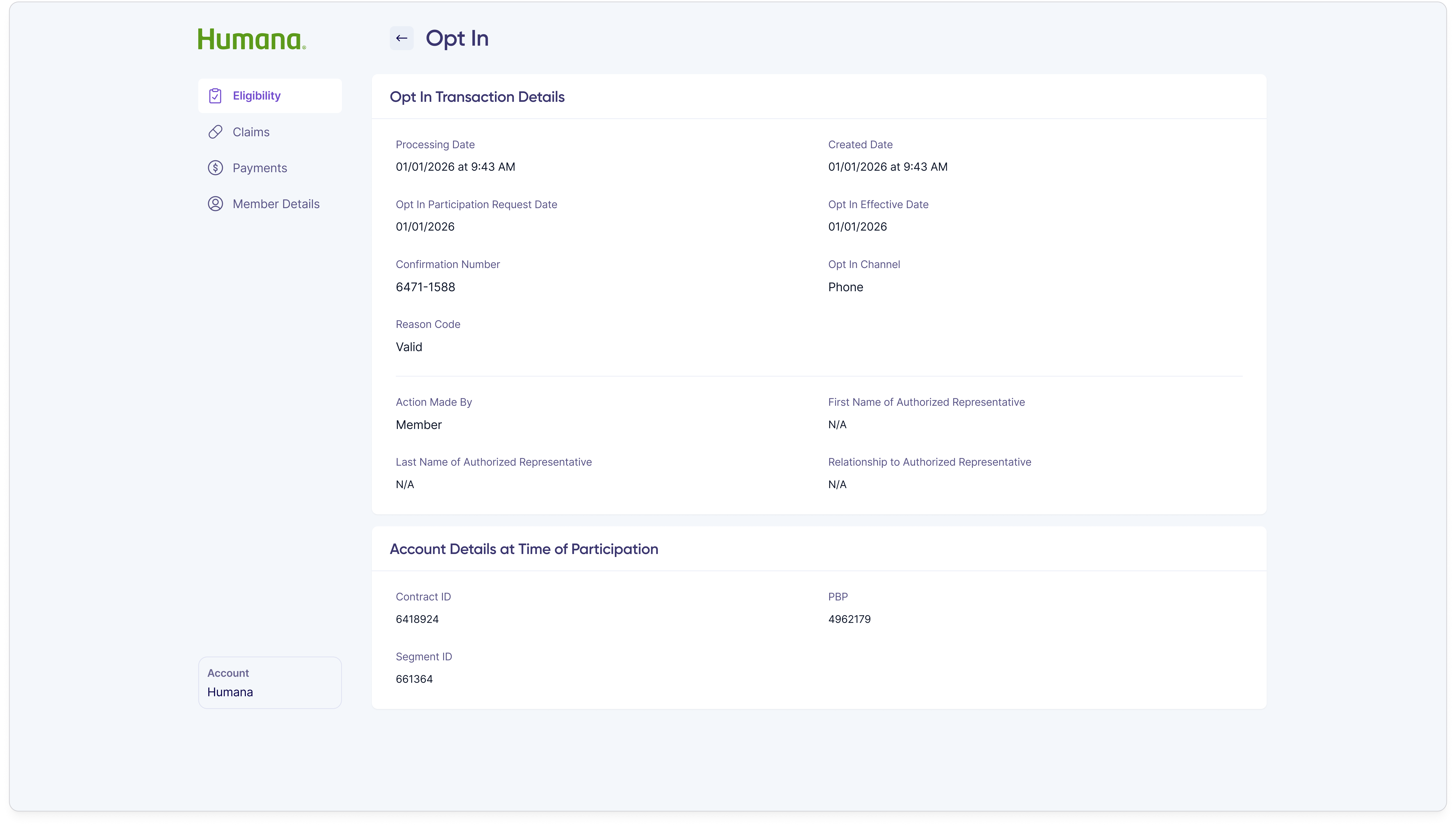
Opt-in details drawer showing a single participation event with effective date, request date, processing date, channel, confirmation number, and reason code.
Opt-in event details
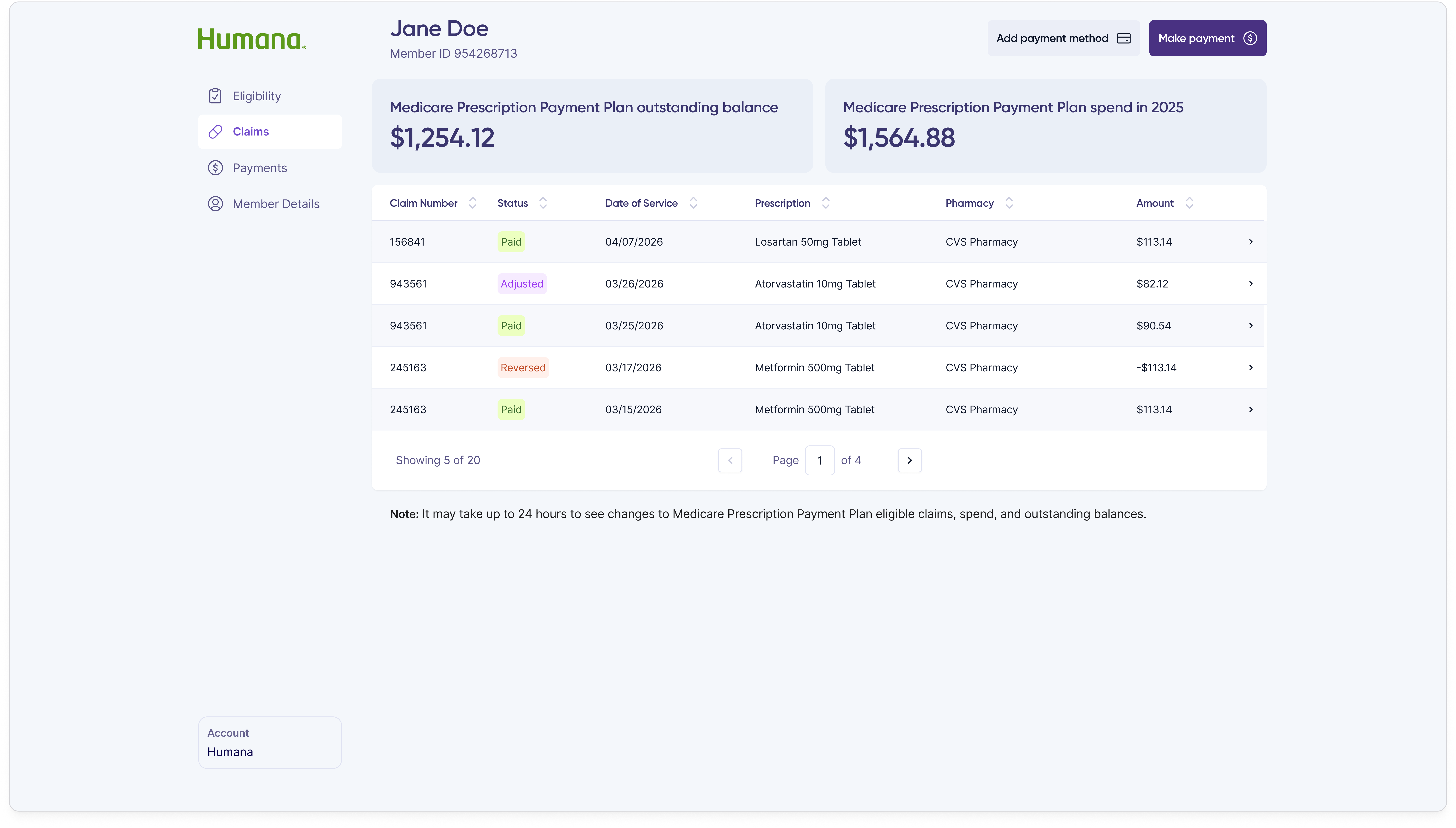
Claims tab listing the member's prescription claims with date filled, drug name, pharmacy, billed amount, and status for each claim.
Claims overview
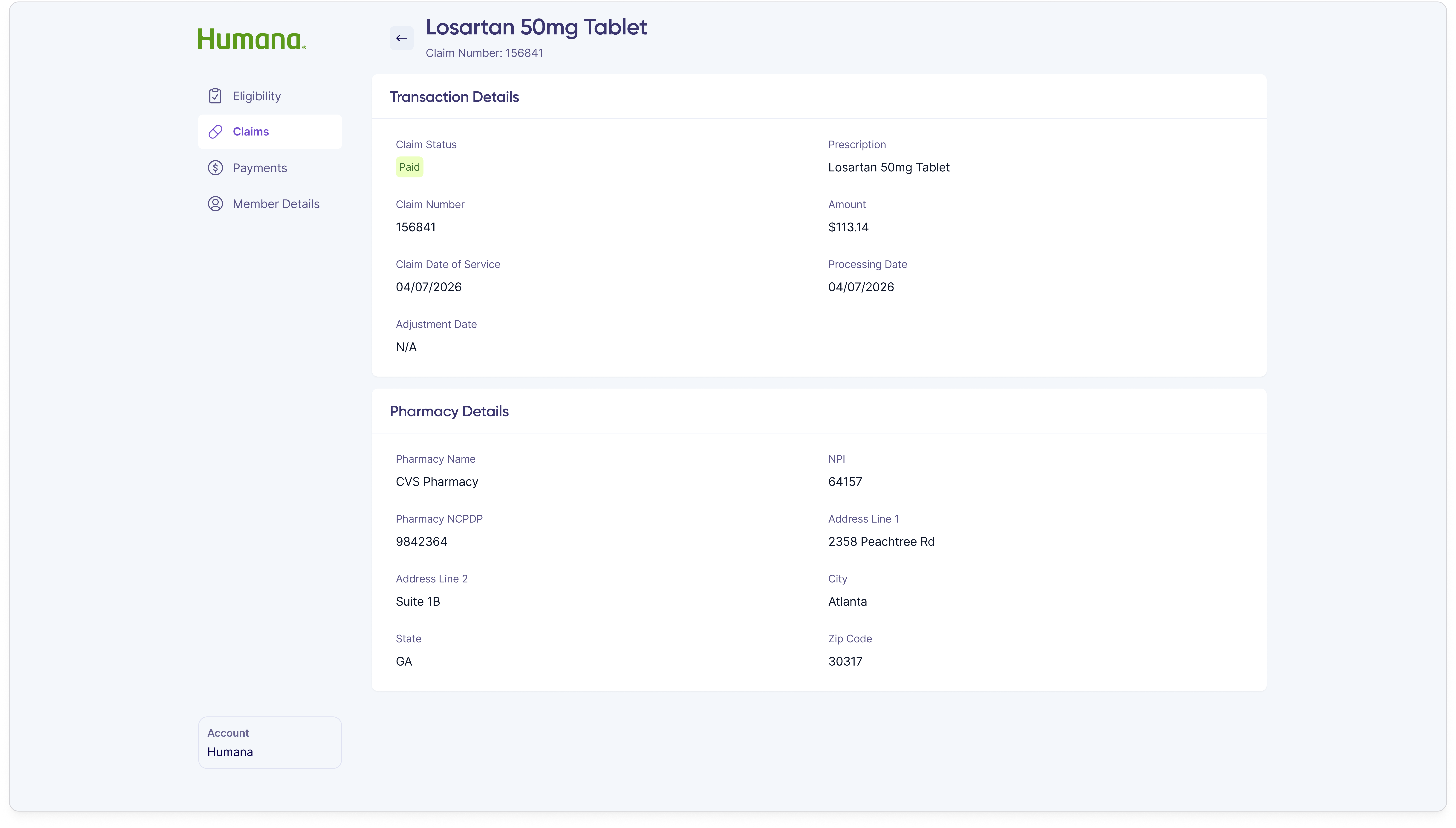
Claim details view showing one prescription claim with pharmacy information, prescriber, drug and dosage, plan-paid and member-responsible amounts, and adjudication metadata.
Single claim details
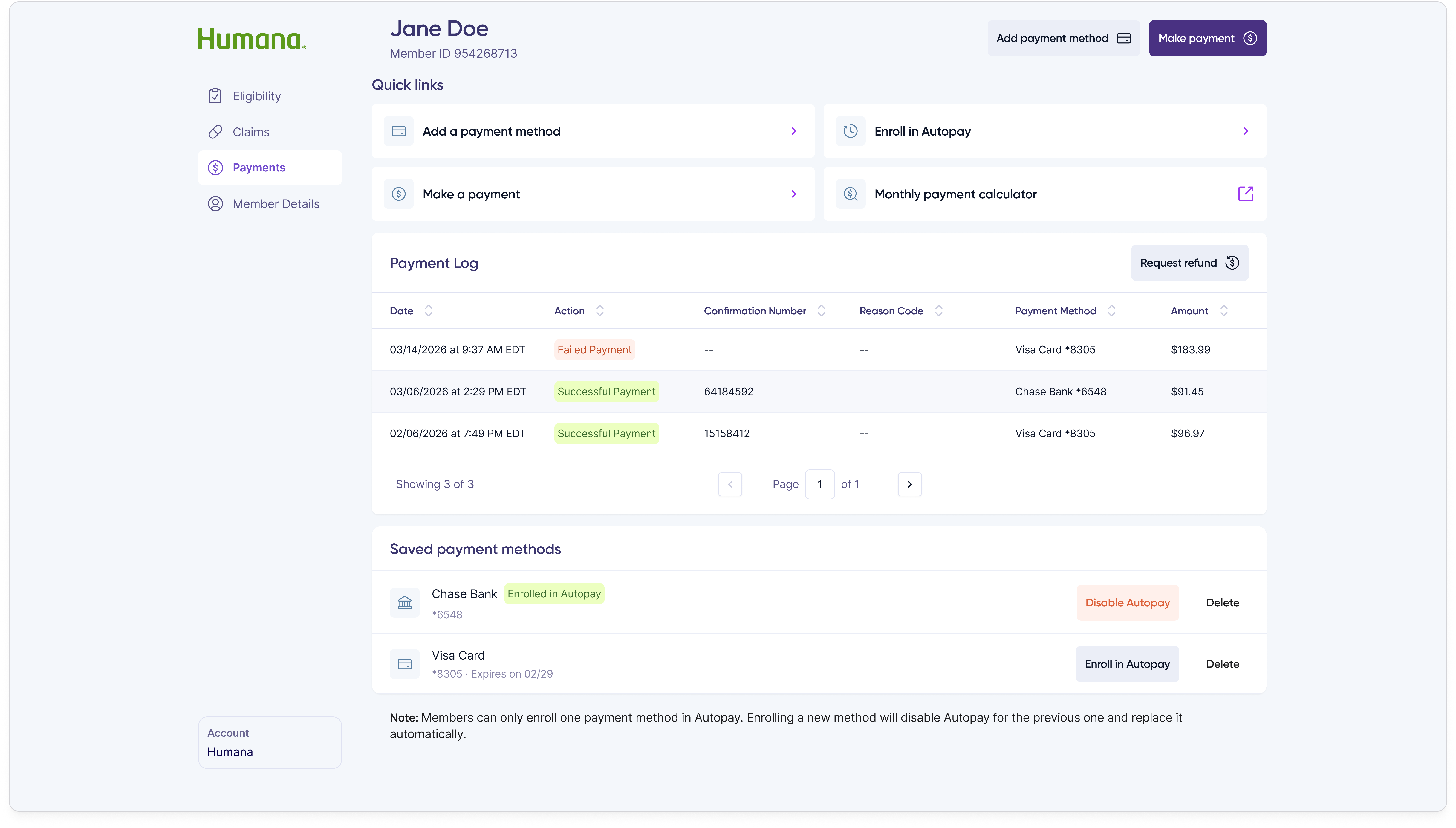
Payments tab showing the member's billed balance, autopay status, payment methods on file, and a history of monthly invoices and one-time payments.
Payments and billing history
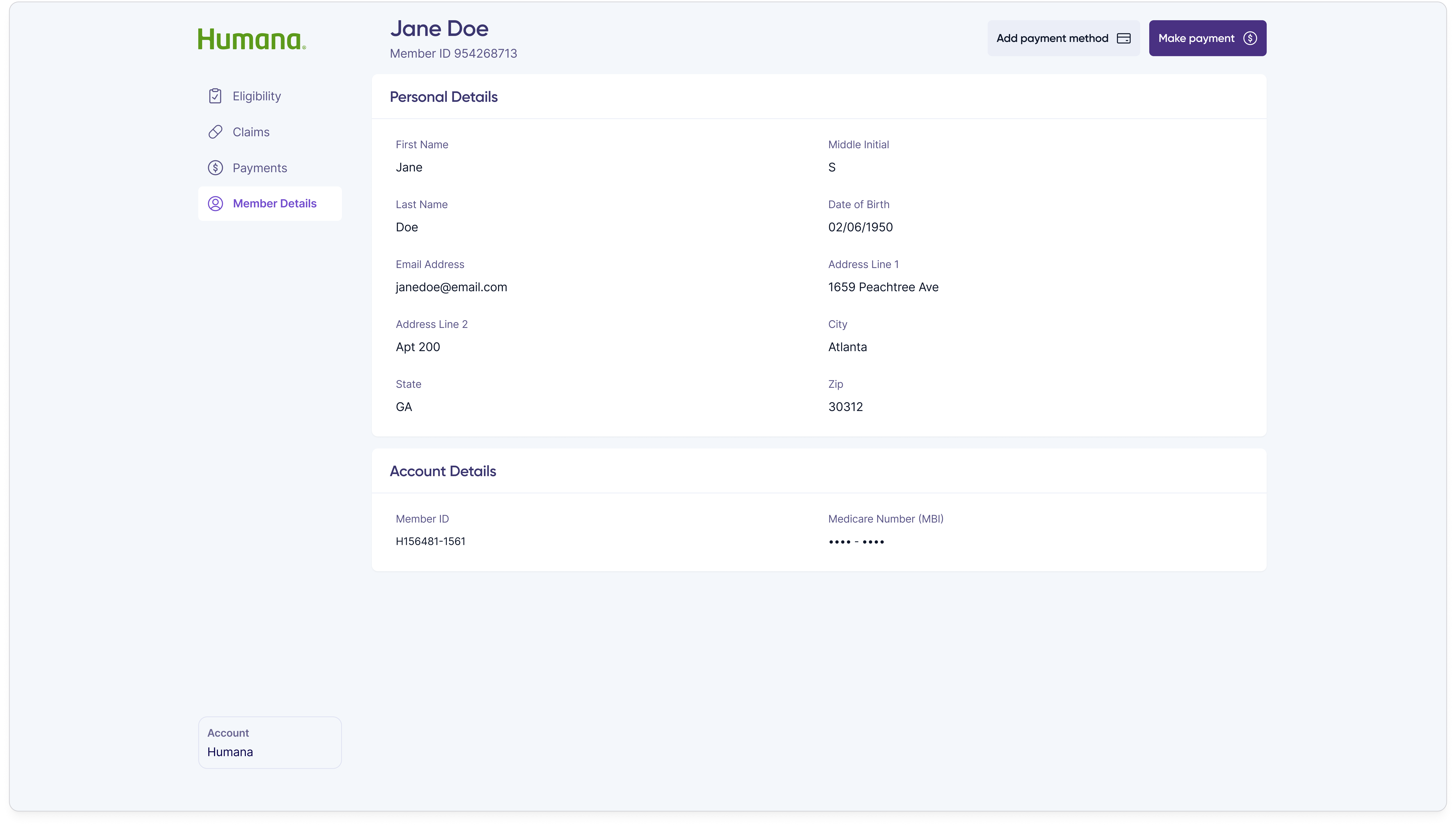
Member details tab showing demographic information, contact information, mailing address, and plan enrollment details for Jane Doe.
Member details

When a member overpaid or sent money to the wrong place, customer reps needed a way to resolve it without leaving the portal. The refund flow starts with a single modal that surfaces the overpayment amount and asks the customer rep to pick a request type.
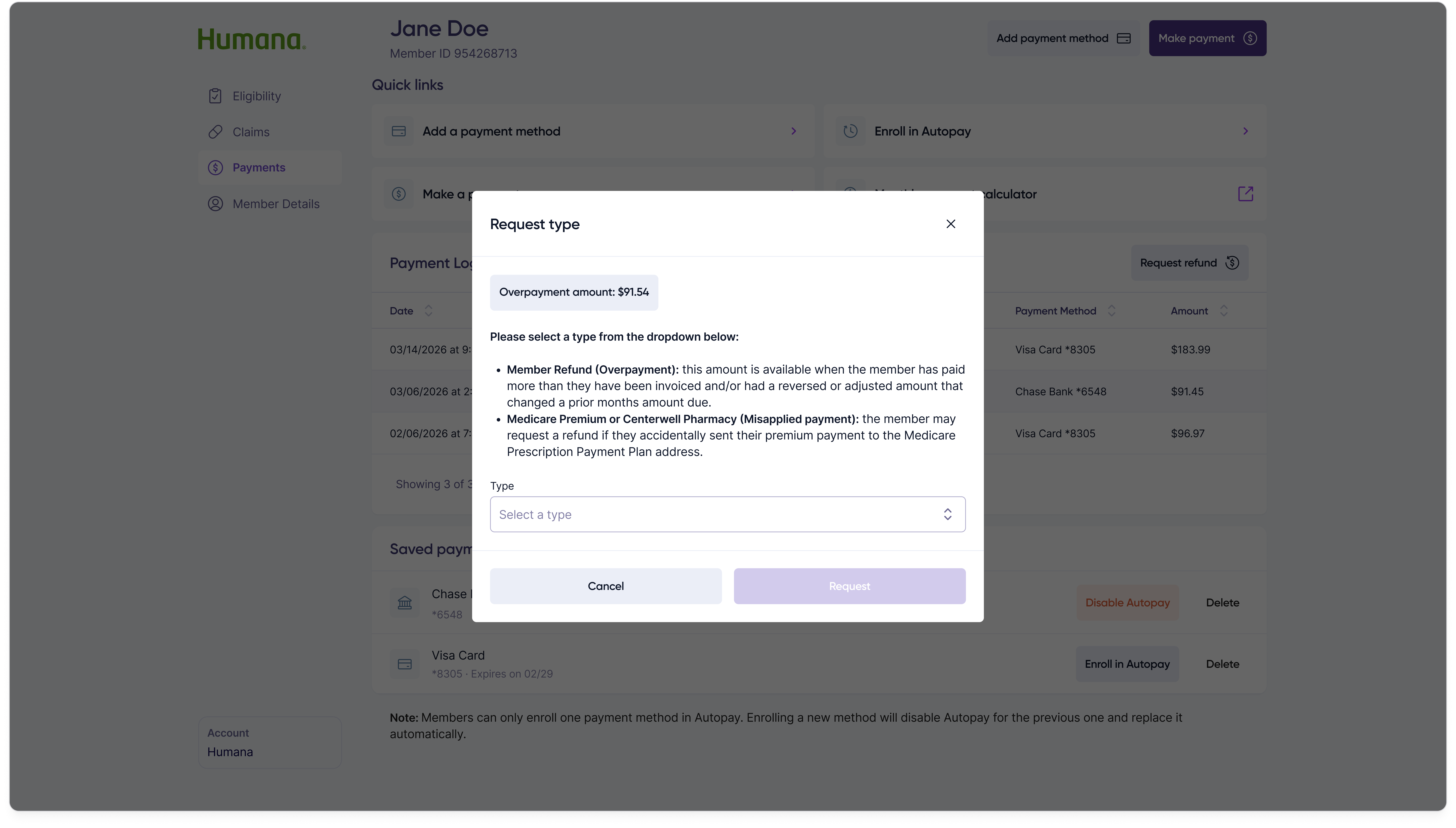
Refund request modal showing the overpayment amount of $91.54, an explanation of the Member Refund and Medicare Premium request types, and a Type dropdown with a disabled Request button.
Refund request modal — initial state

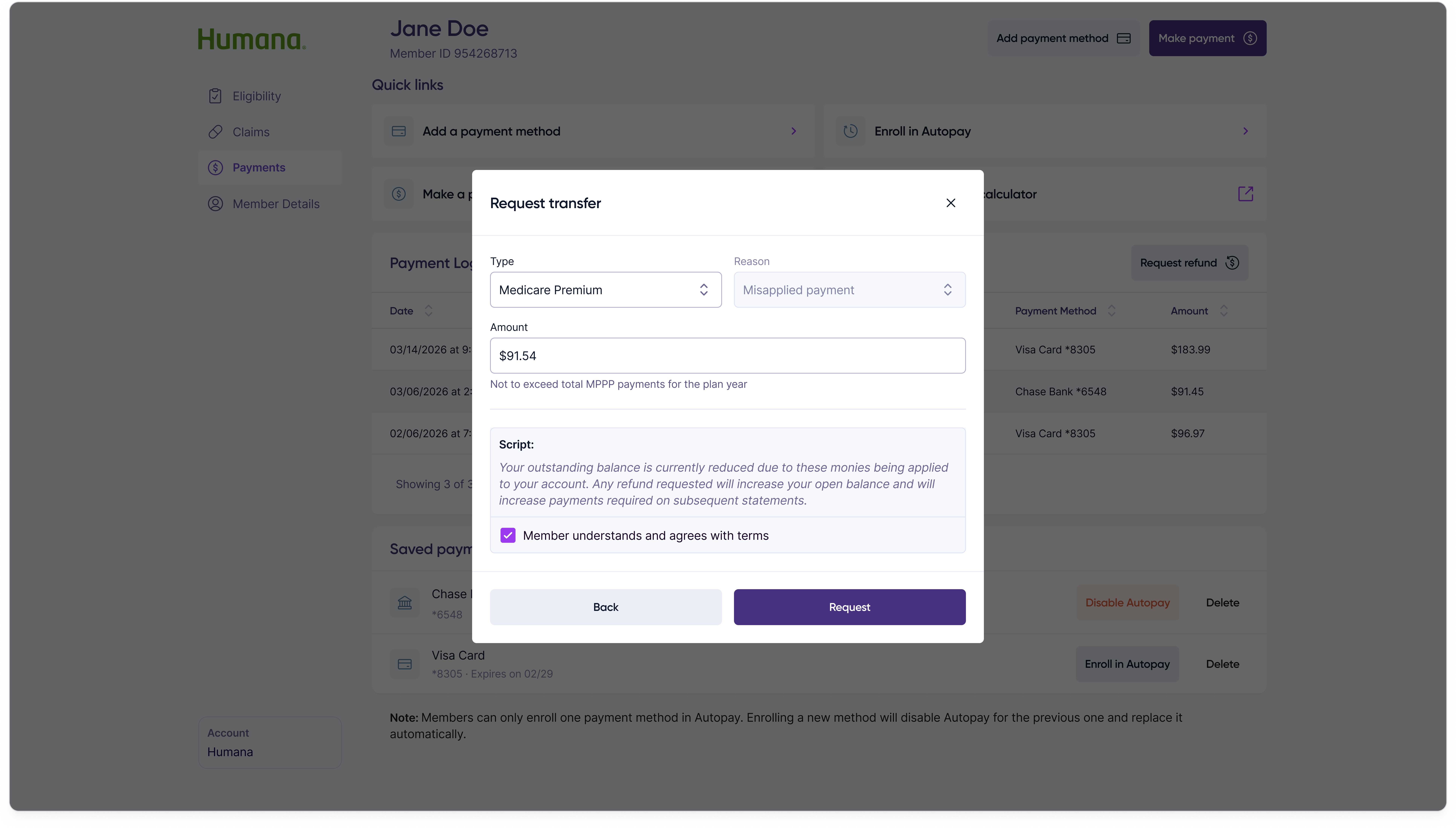
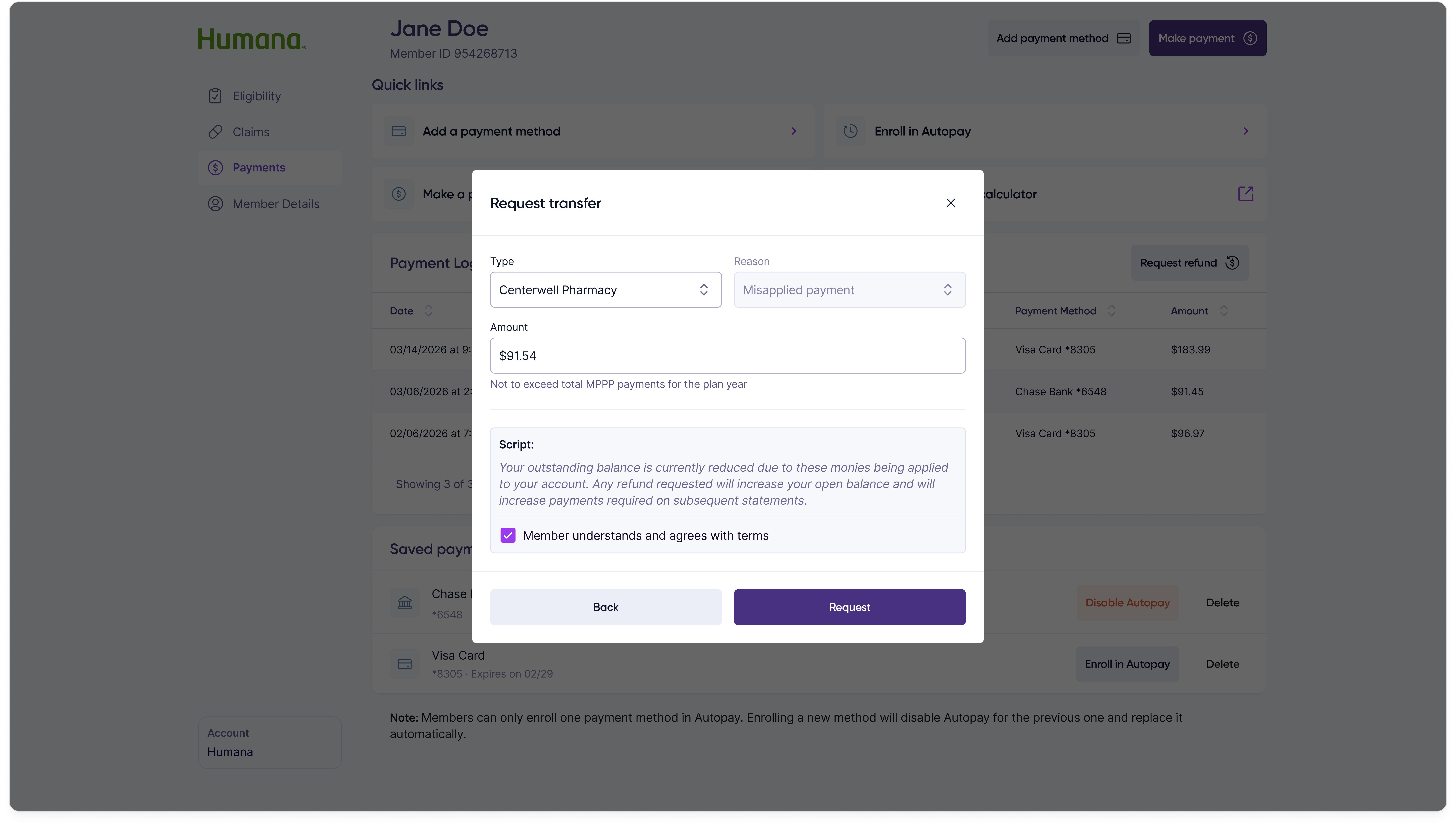
Selecting a request type swaps the modal contents into one of three sub-forms — refund the member, transfer the funds to a Medicare premium, or transfer them to the pharmacy — each collecting only the fields that specific resolution path requires.

Member refund
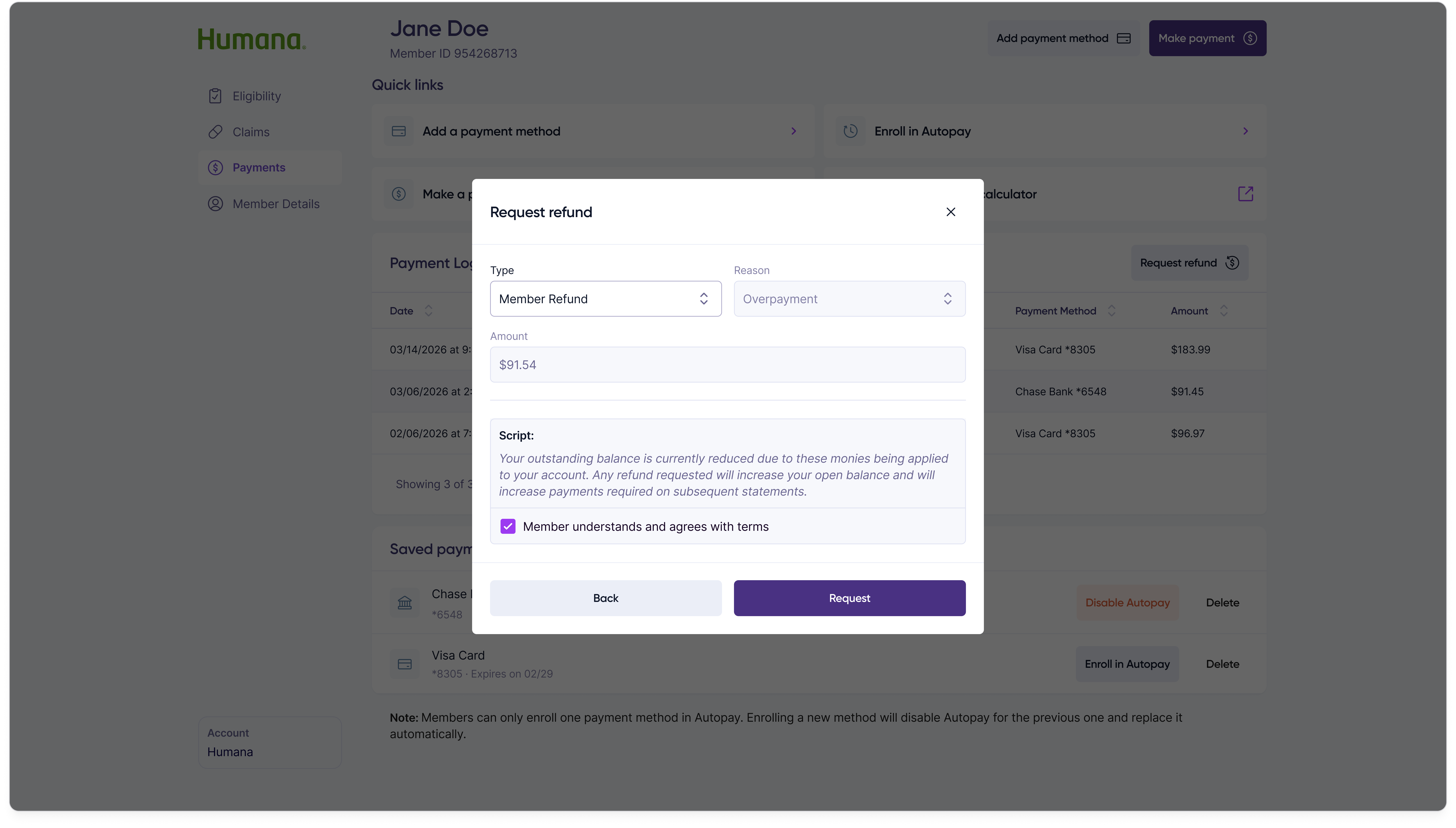
Refund request modal in the Member Refund state, with fields for the refund amount and the payment method to return funds to.

Transfer to Medicare premium

Refund request modal in the Transfer to Medicare Premium state, with fields for the transfer amount and Medicare premium account details.

Transfer to pharmacy

Refund request modal in the Transfer to Pharmacy state, with fields for the transfer amount and pharmacy identifying information.
Three request-type sub-forms branched from the refund modal

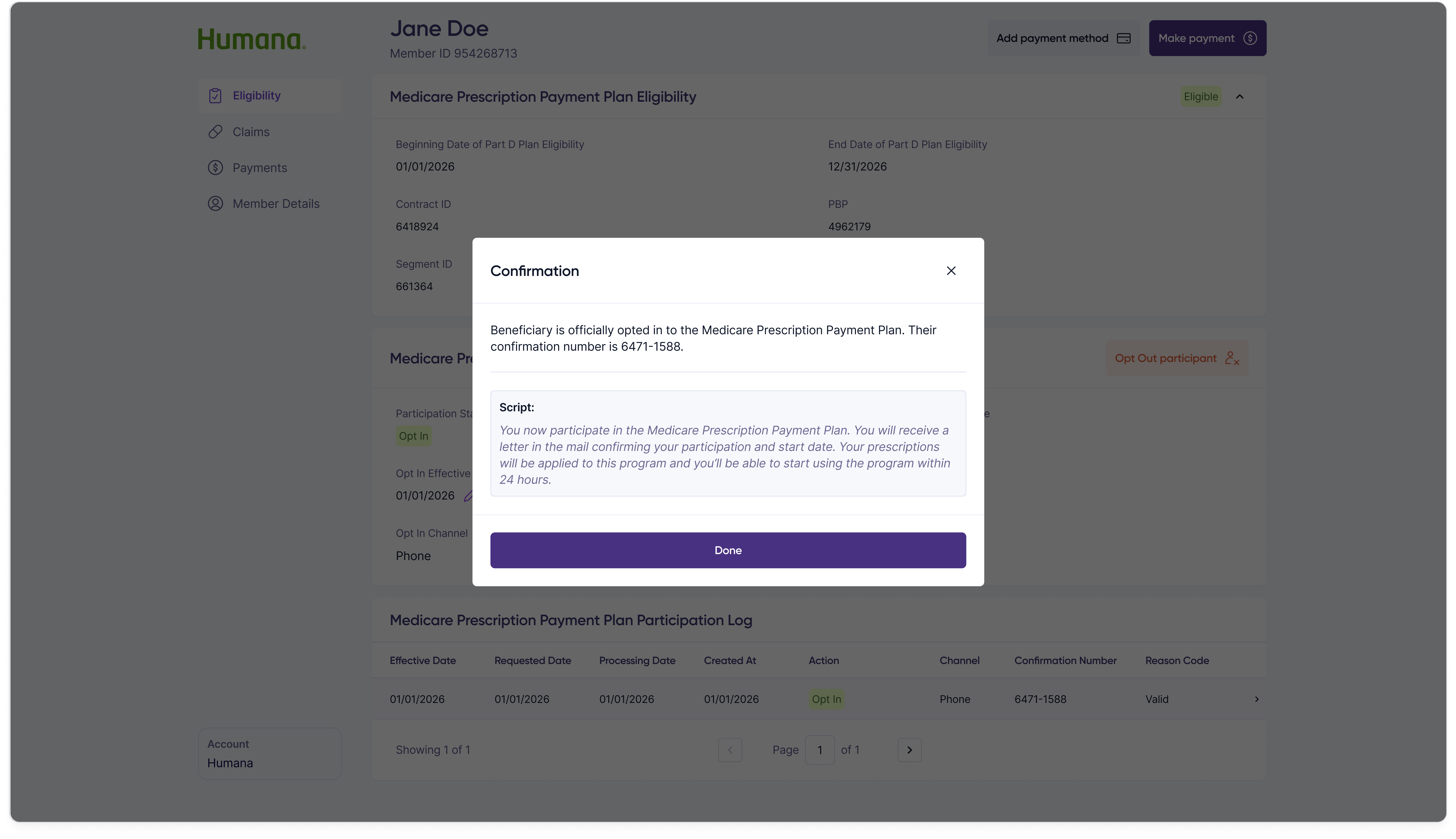
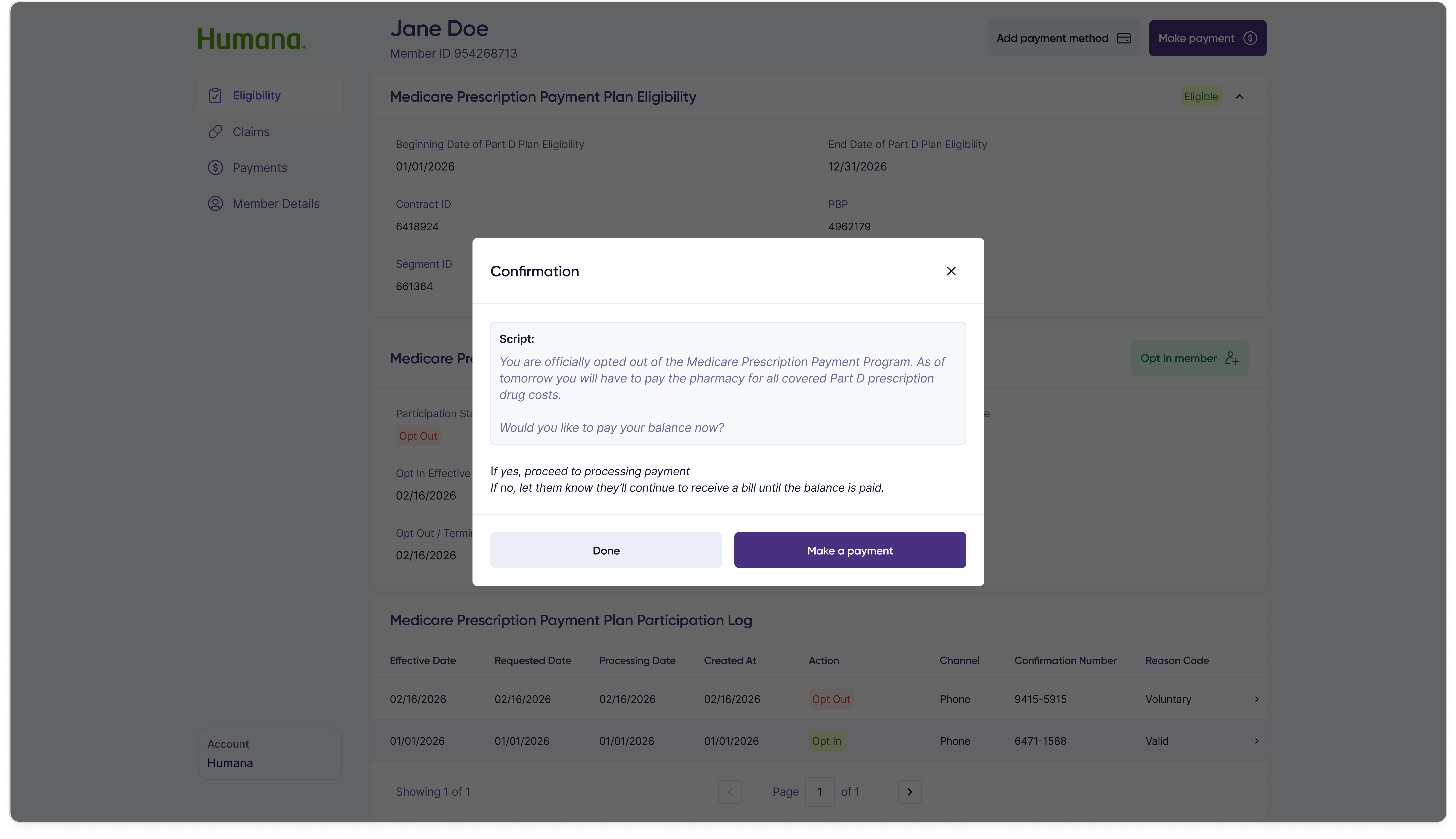
Opting a member into the program is the most consequential action a customer rep takes — it commits the member to spreading their out-of-pocket prescription costs across the plan year. The flow is two steps: capture authorization and channel, then confirm.

Step 1 — Authorization & details
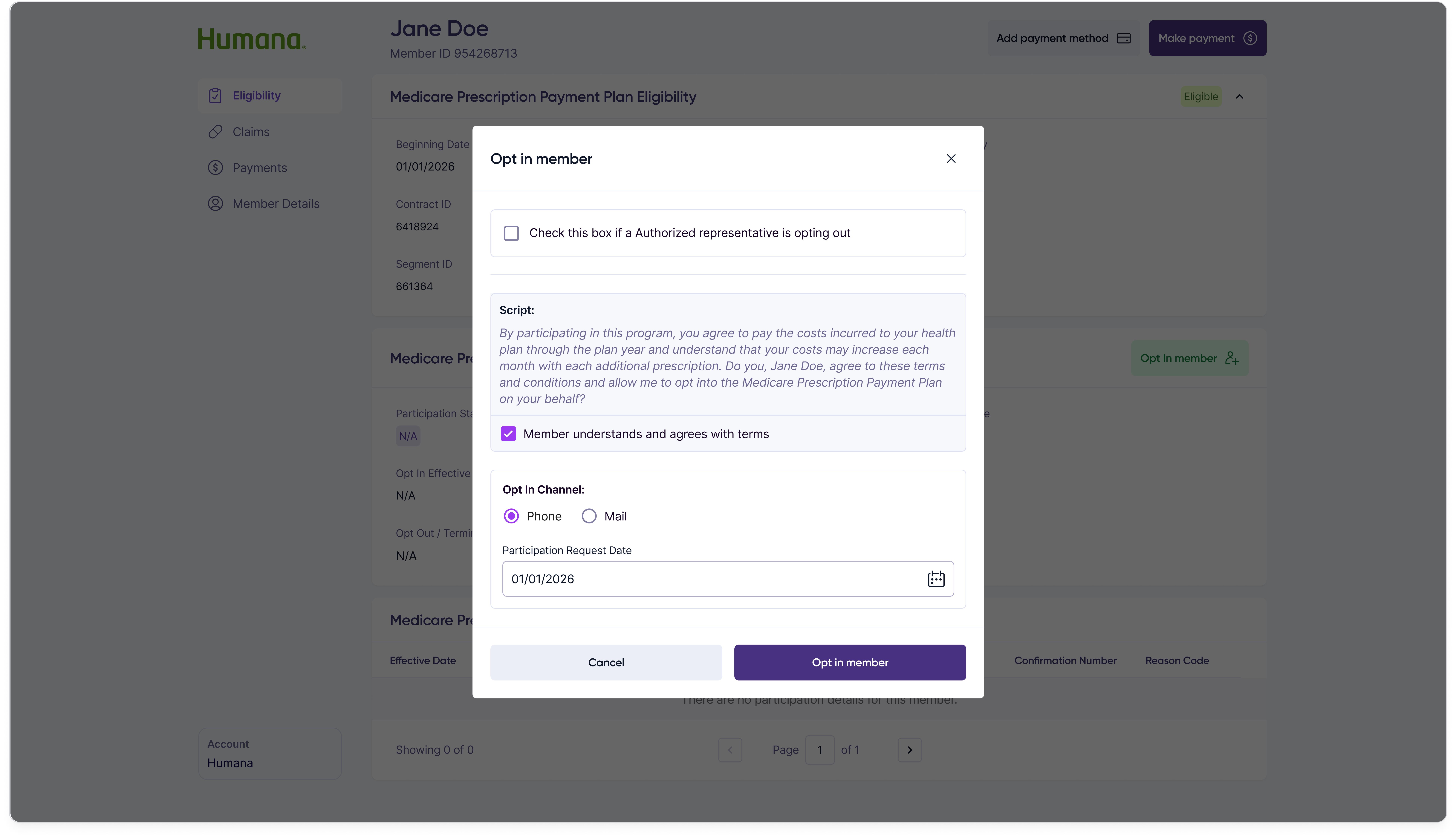
Opt in member modal step 1: authorization script for the customer rep to read, an authorized representative checkbox, an officially-opt-in confirmation, opt-in channel radio between Phone and Mail, and a participation request date field.

Step 2 — Confirmation

Opt in member modal step 2: success confirmation summarizing the captured opt-in details and confirmation number.
Two-step opt-in flow

Opting out follows the same two-step shape so customer reps only have one mental model to learn for participation changes.

Step 1 — Reason & details
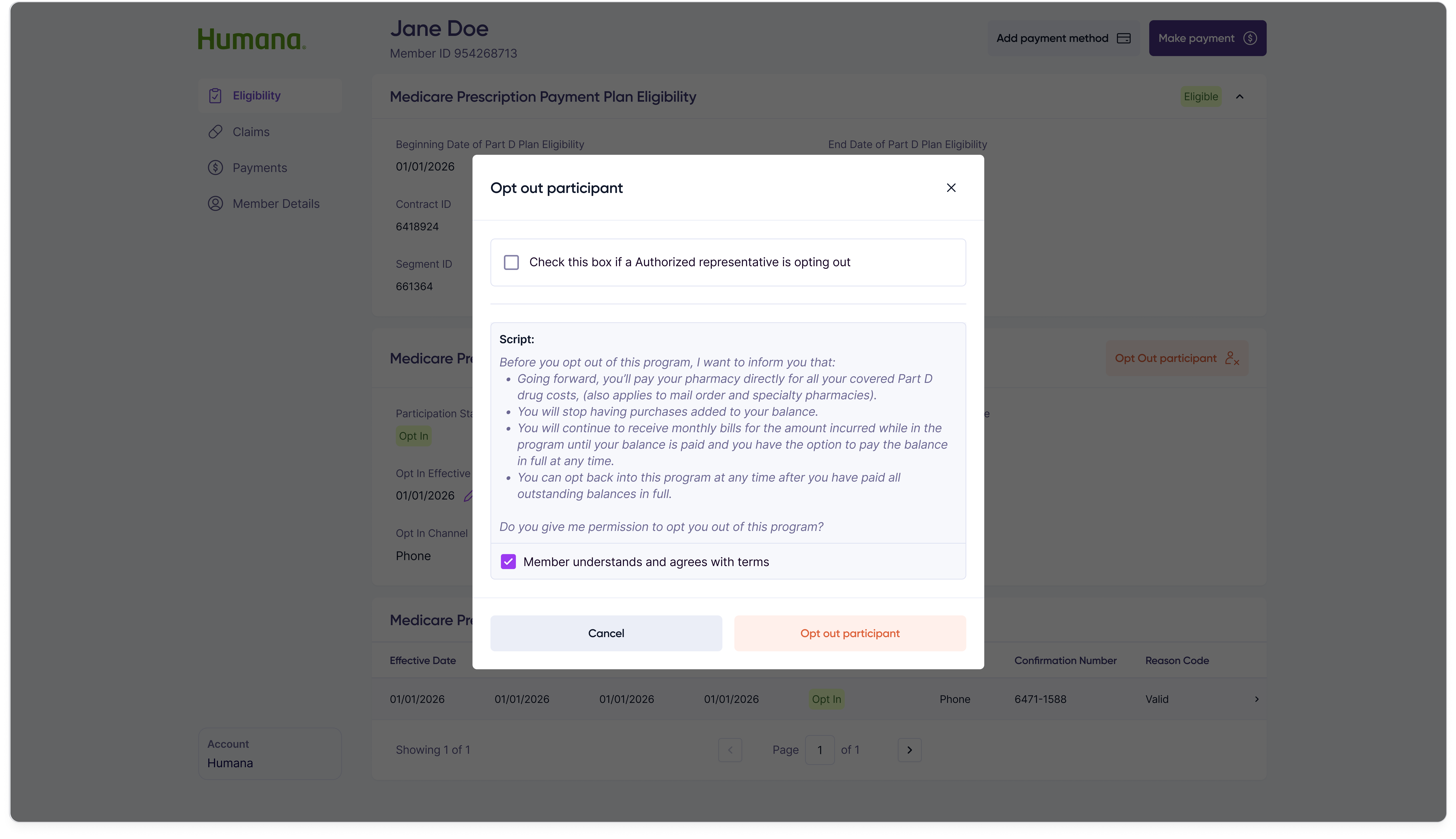
Opt out member modal step 1: authorization script, opt-out reason selection, channel selection, and termination date field.

Step 2 — Confirmation

Opt out member modal step 2: success confirmation summarizing the captured opt-out details and confirmation number.
Two-step opt-out flow

Opt-in effective dates occasionally need to be backdated when paperwork lags real-world events. Rather than re-running the full opt-in flow, customer reps can edit the date inline from the participation details panel.
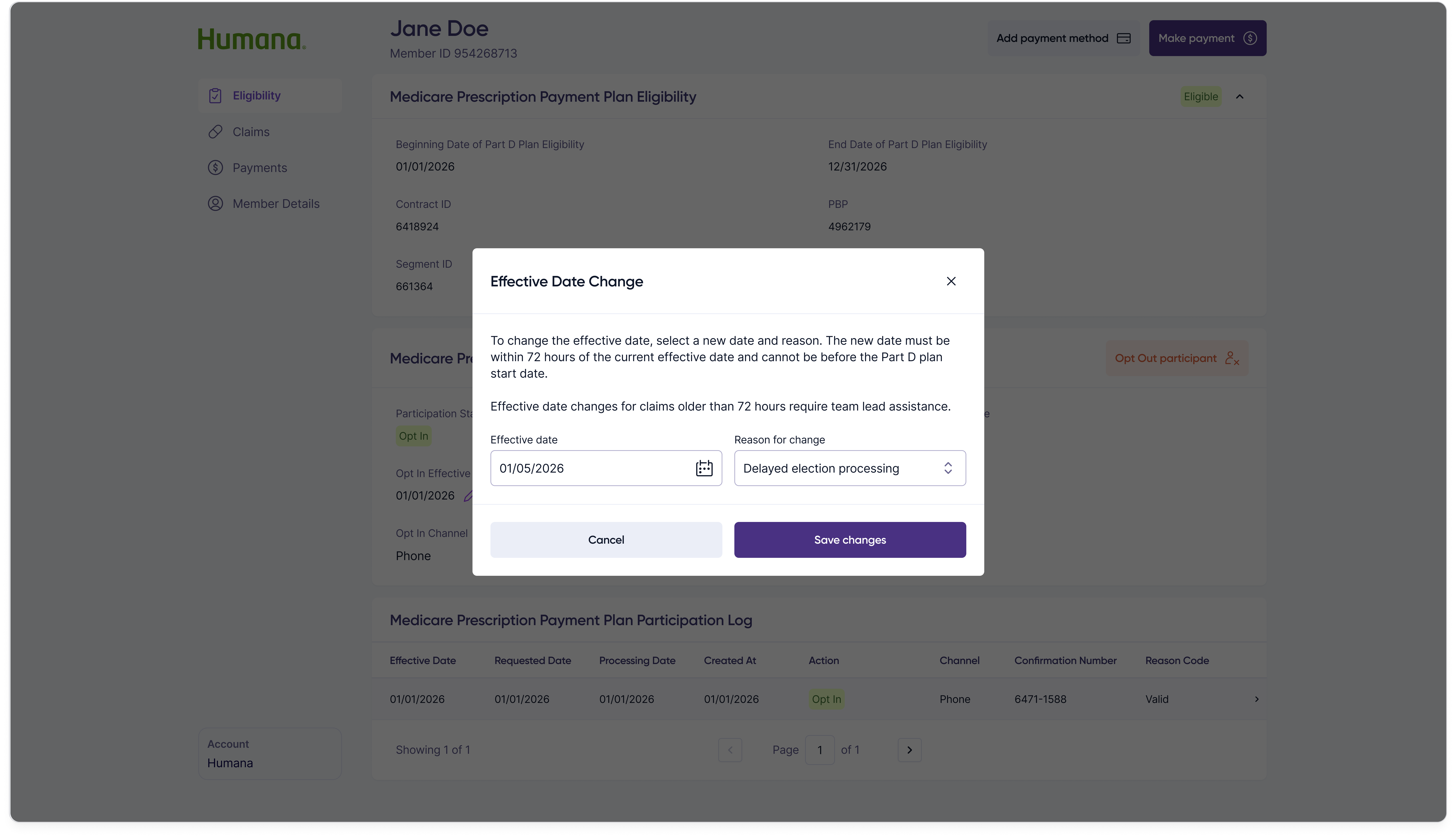
Effective date change modal allowing the customer rep to update the opt-in effective date with a date picker and supporting reason.
Inline effective-date edit

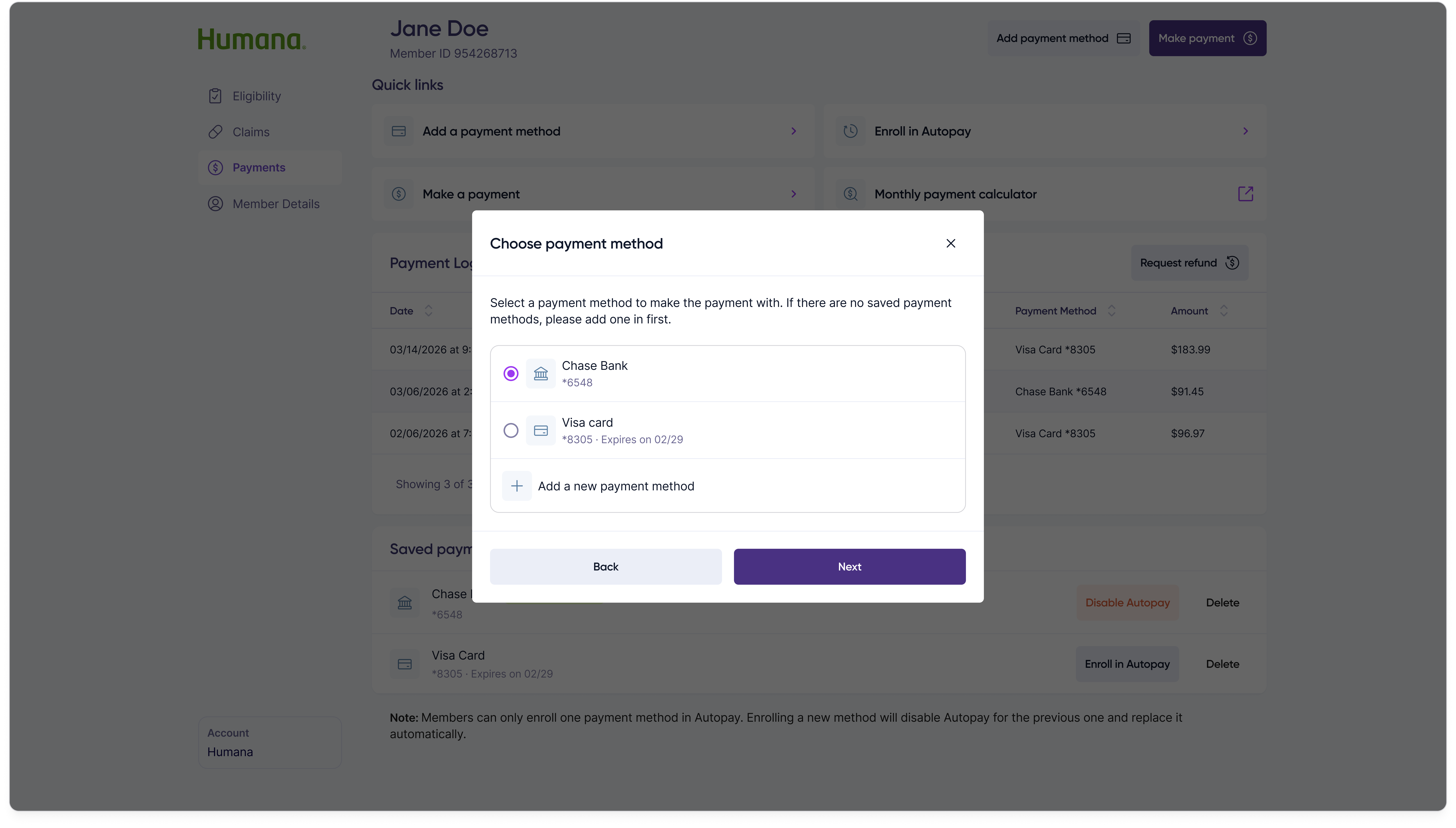
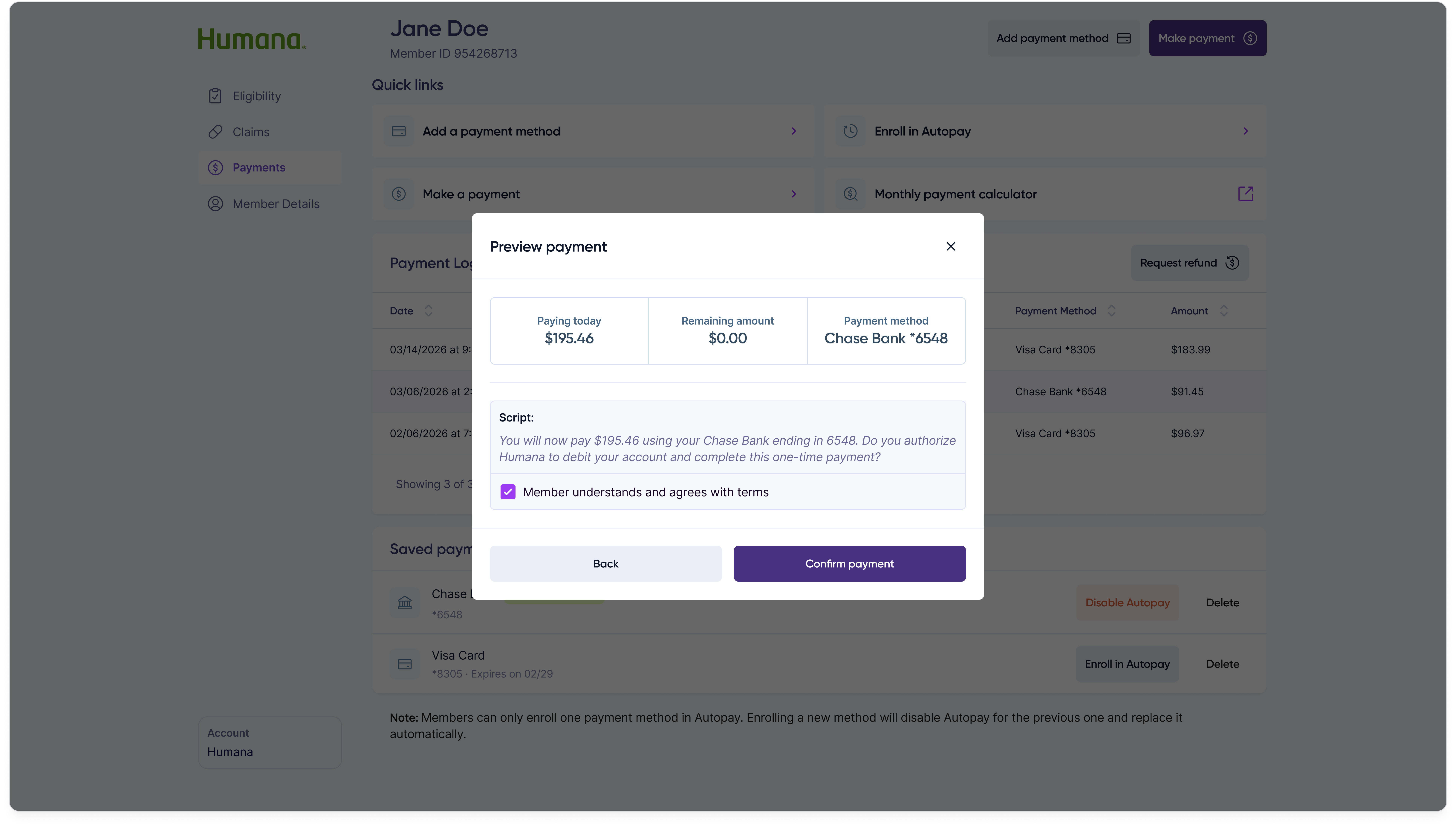
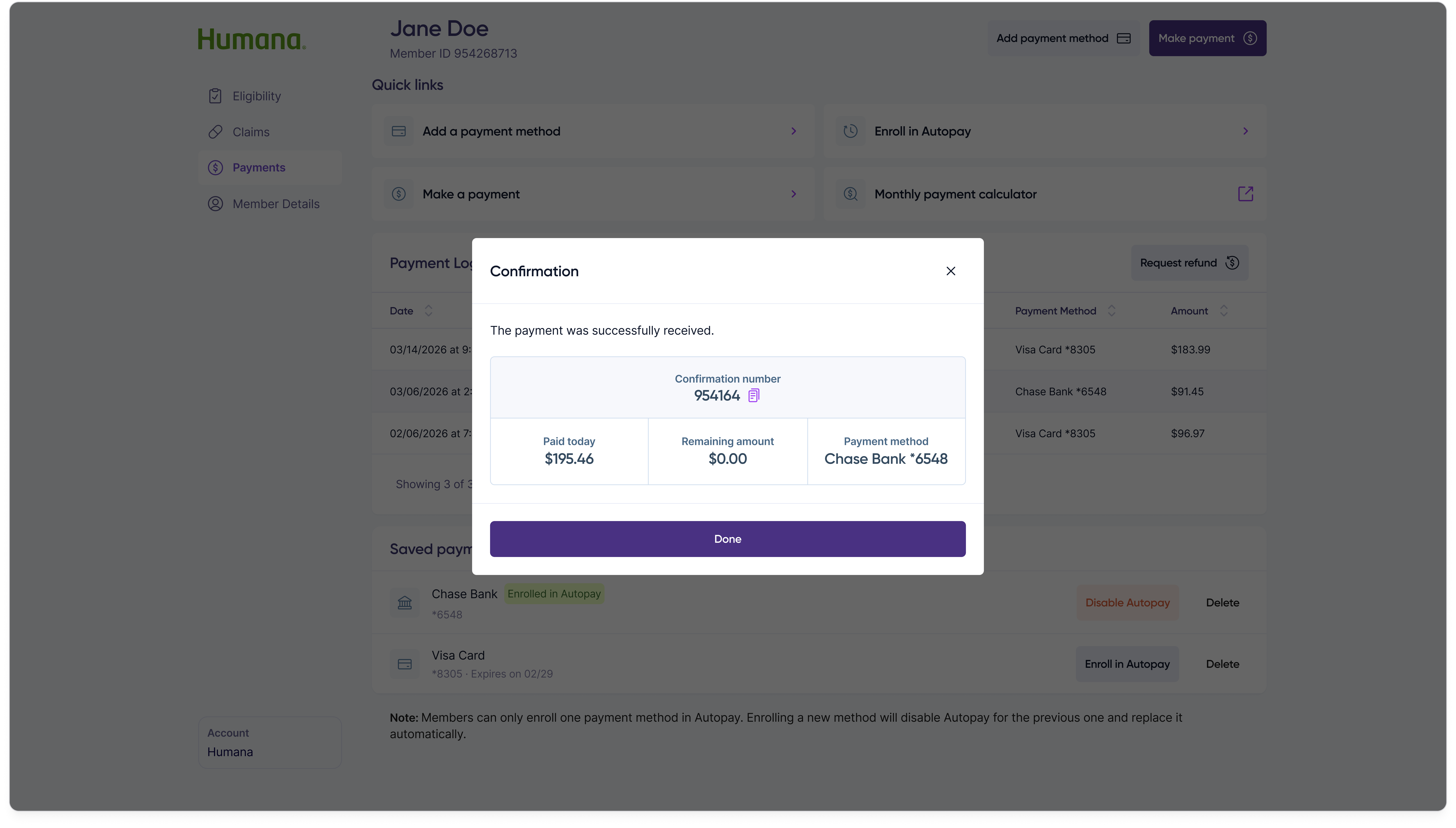
Taking a payment over the phone is the highest-volume action on the portal. The flow is four steps — choose amount, choose method, review, and confirm — each its own screen so the customer rep and member stay aligned at every commitment point.

Step 1 — Choose amount
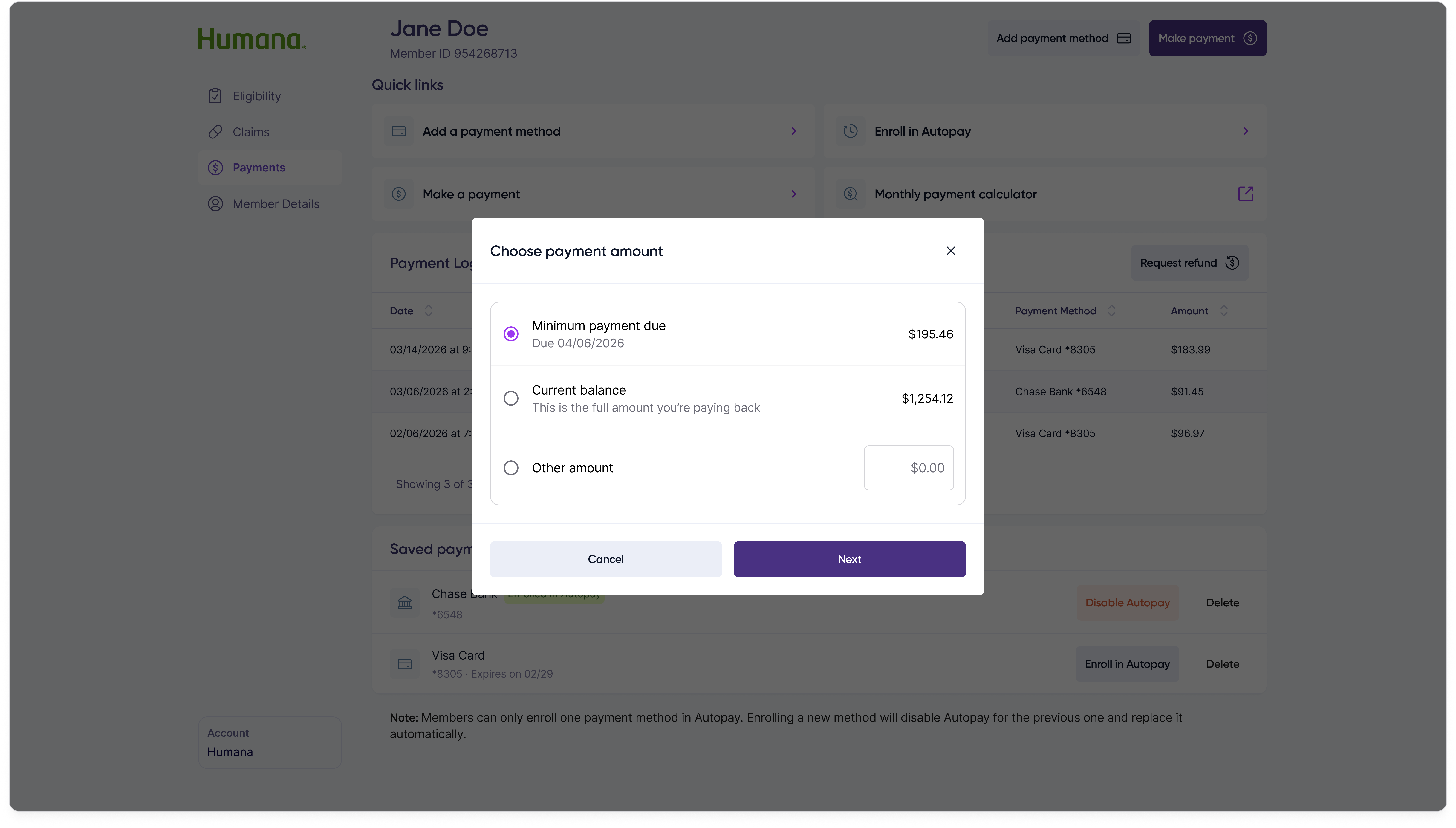
Make a payment step 1: select between minimum payment due, current balance, or an other amount.

Step 2 — Choose method

Make a payment step 2: choose a saved payment method or add a new one.

Step 3 — Review

Make a payment step 3: review the selected amount, payment method, and total before submitting.

Step 4 — Confirmation

Make a payment step 4: success confirmation with the payment amount and confirmation number.
Four-step make-a-payment flow

For members who don't want to remember a monthly call, customer reps can enroll a saved payment method into Autopay from the same Payments tab.
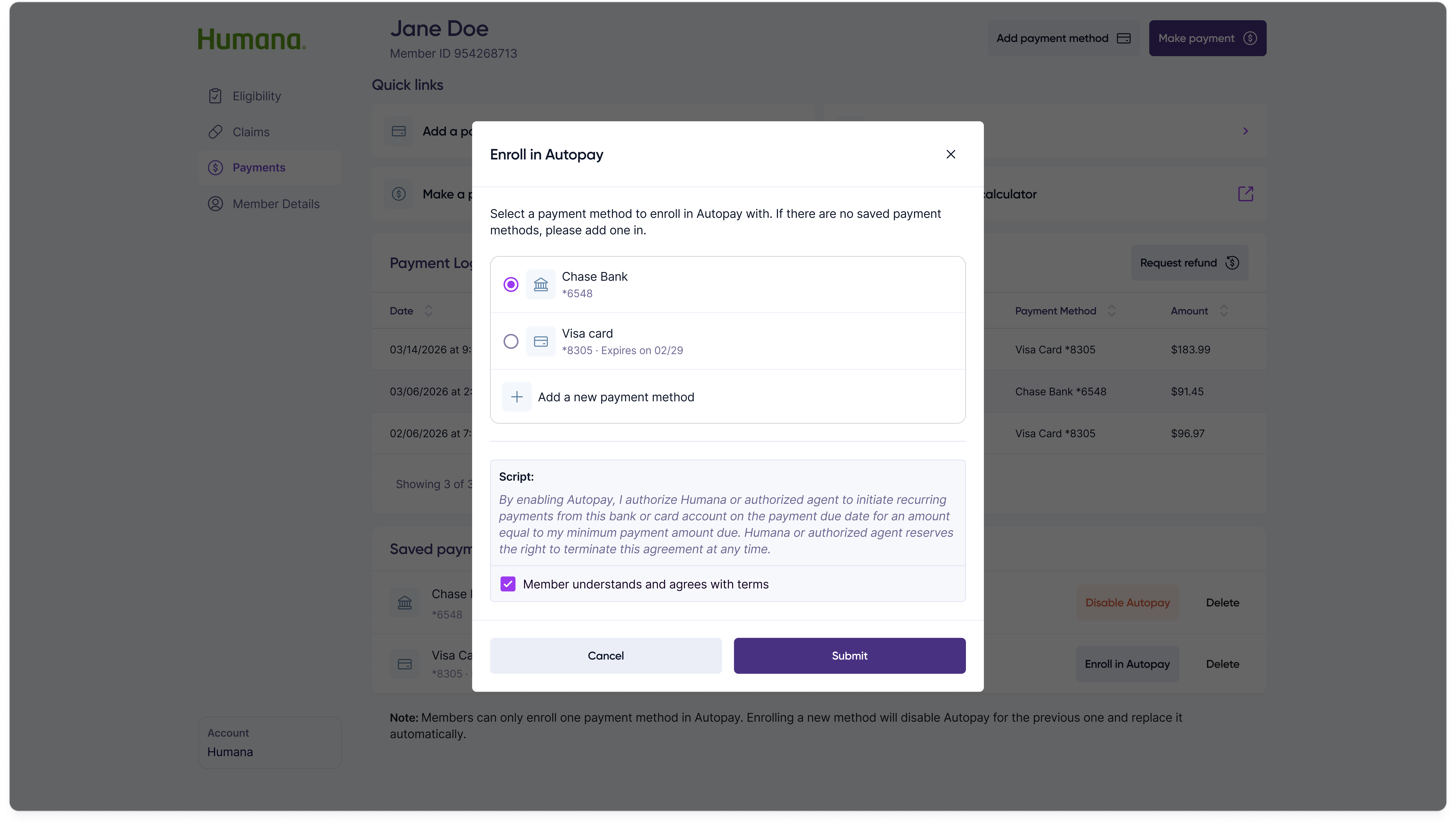
Enroll in Autopay modal: confirm the payment method to use for autopay and acknowledge the disclosure before enrolling.
Enroll in Autopay

Result

The Medicare Prescription Payment Plan launched in October 2024 and is now available to 20M+ members (40% of the entire Medicare population) through Humana, Cigna, and Express Scripts.

10K+

Customer reps used this new portal to support members monthly.

$10M+

Revenue products from this product (~33% of total company revenue).

$83M+

In total managed balances.

20M+

Eligible members were able to opt-in and use this new program.